Everything arrives in the same place
Calendar alerts, chat messages, app updates, payment notices, news, and promotions all compete for the same strip of attention. After a while, your brain stops treating any single banner as special.
Productivity alarms for iPhone
Notifications are easy to ignore because your phone trained you to ignore them. Alarmate turns the moments that matter into real alarms - for meetings, deadlines, reminders, timers, and routines you actually need to catch.
Free to start · No ads · Rings through Focus and Do Not Disturb
The shift
A calendar tells you what is scheduled. A reminder tells you what you meant to do. But neither one guarantees that you will notice the moment when it matters.
That is the gap Alarmate was built around. When work gets intense, passive alerts do not always break through. A real alarm does. It gives important moments a different level of attention, without forcing you to keep your schedule in your head.
The productivity win is simple: set the alarm once, trust it to interrupt you, and get back to the thing you were actually trying to do.
What changes
Less checking
You do not need to reopen your calendar every time a doubt appears.
Better transitions
A short alarm buffer helps you wrap up one thing before starting the next.
More trust
The system carries the timing, so your attention can stay on the work.
Notification blindness
Notification blindness is not carelessness. It is adaptation. When every app asks for attention, your brain starts filtering alerts automatically. That is helpful until an important calendar event or reminder gets filtered with everything else.
Calendar alerts, chat messages, app updates, payment notices, news, and promotions all compete for the same strip of attention. After a while, your brain stops treating any single banner as special.
Most notifications can be swiped, ignored, stacked, or cleared in a second. That reflex is useful for noise, but dangerous when the alert is a meeting, deadline, medication, or travel cue.
Focus, Silent mode, and Do Not Disturb are great for deep work. The problem is that passive alerts can vanish behind the very settings you use to protect attention.
Even if you rarely miss an alert, the possibility is enough to create checking loops. You reopen your calendar, glance at the time, and keep part of your mind on not being late.
Why alarms work
An alarm is different from a notification because it changes the agreement. A notification says, "Here is some information." An alarm says, "This is the moment you asked me to interrupt you."
That difference matters when you are in deep work, on a call, traveling, or simply trying not to hold your whole day in working memory.
A productivity alarm is not background information. It rings, vibrates, and keeps asking for attention until you acknowledge it.
Set an alarm 5, 10, or 15 minutes before the moment. That buffer gives you time to wrap up, reset context, and arrive prepared.
When the important moments are protected by alarms, you can stop checking your schedule just to feel safe.
You can keep Focus mode on, mute distractions, and still trust important alarms to break through when they should.
How it makes a difference
The value is not just that an alarm is louder. It is that you can trust it enough to stop managing time manually every few minutes.
Set alarms for the meetings and deadlines that matter, then stop reopening your calendar between tasks.
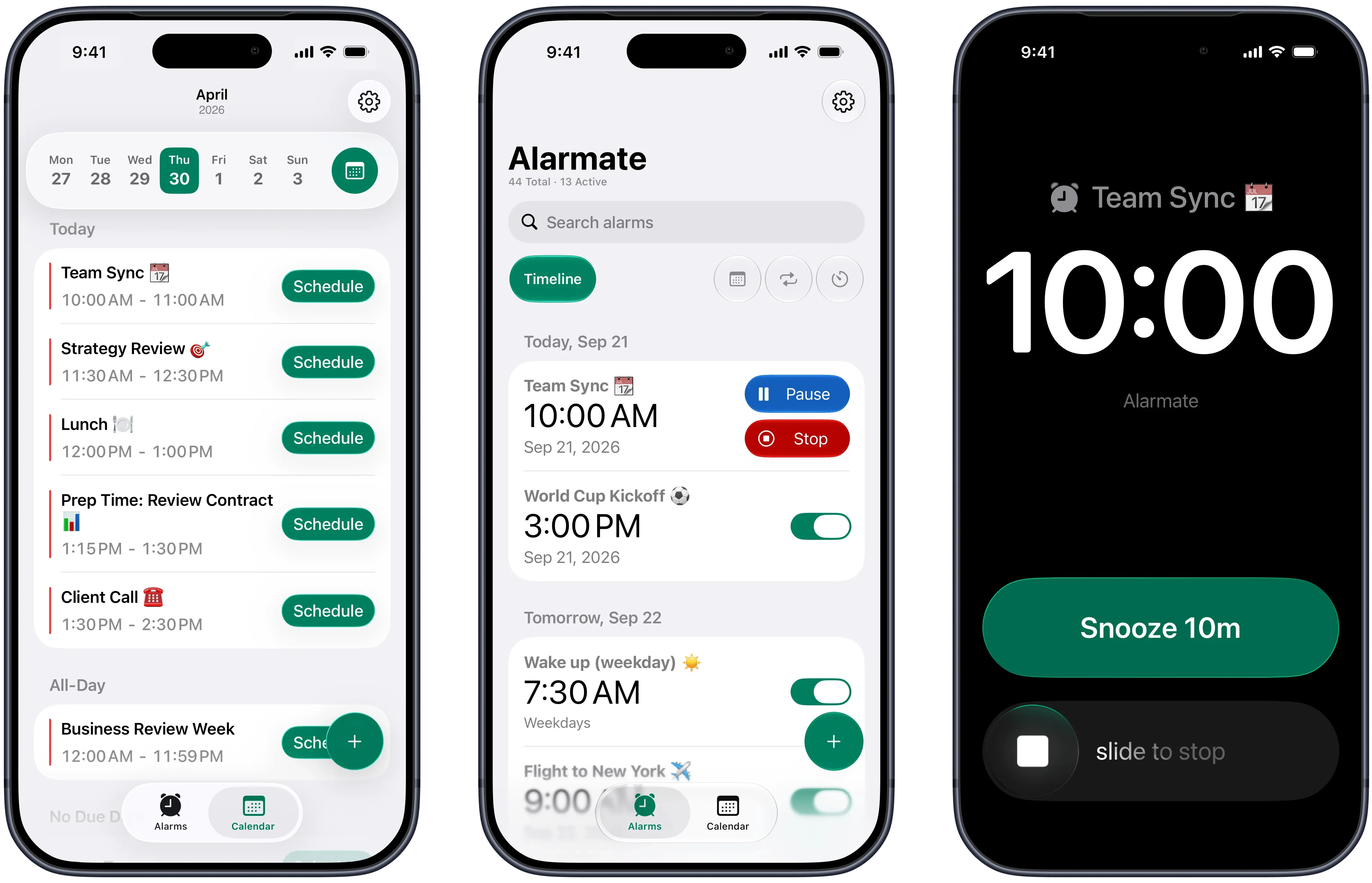
A real alarm keeps ringing until you stop or snooze it, unlike a notification that can appear and disappear.
A 5-minute alarm gives you a transition window, so you can wrap up, reset, and show up prepared.
Alarmate rings through Silent mode, Focus, DND, Sleep, and Airplane mode, so quiet settings do not hide what matters.
How to use alarms productively
1
Not everything should interrupt you. Pick the meetings, reminders, dates, timers, or routines where being late or forgetting has a real cost.
2
Choose when the alarm should fire. Five minutes before a meeting. Thirty minutes before leaving. Two hours before a flight. The timing becomes part of the system.
3
Once the alarm is set, you do not need to keep the schedule in your head. Alarmate handles the moment, and you get your attention back.
One timeline
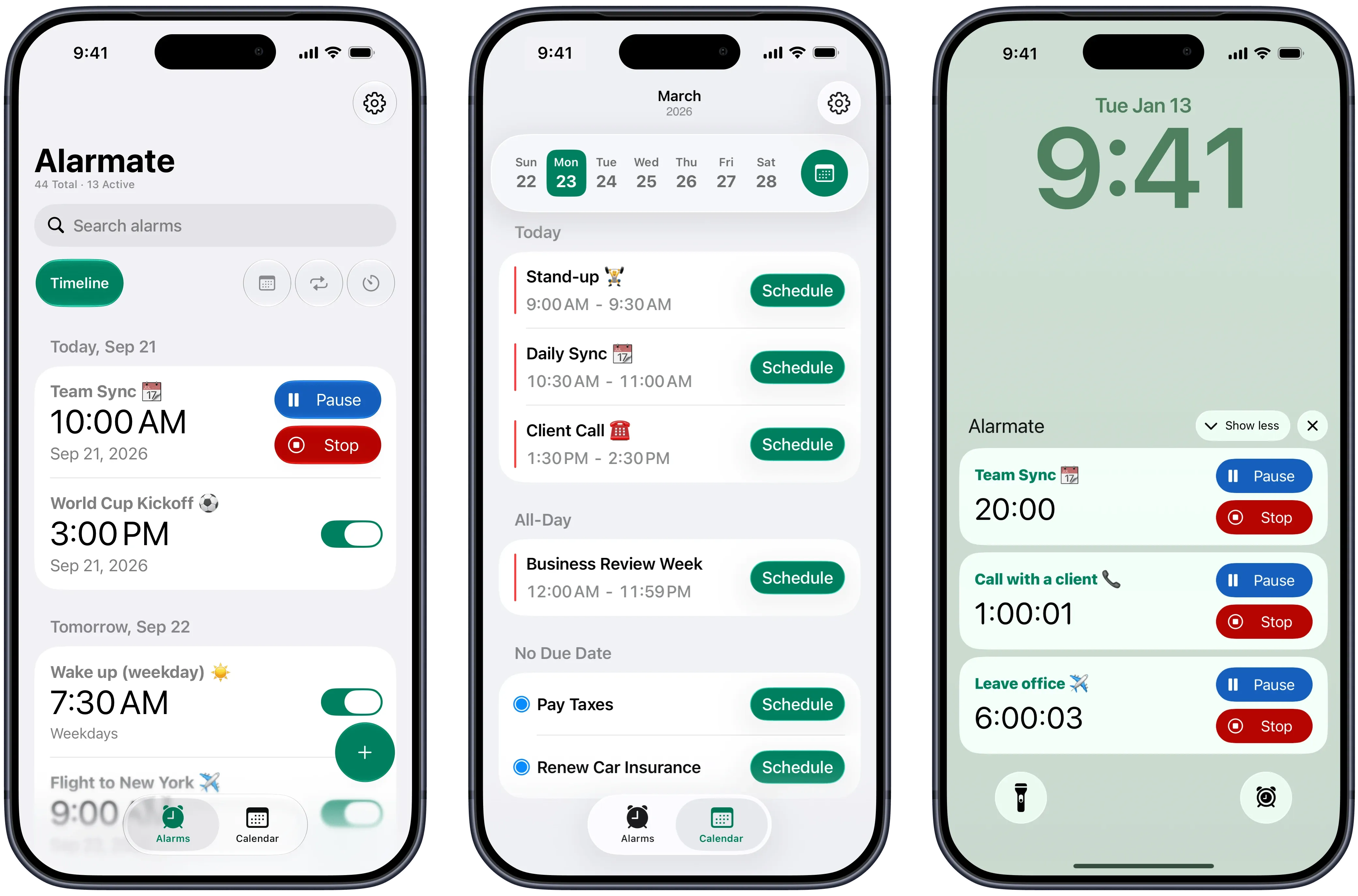
Alarmate brings calendar alarms, reminder alarms, date alarms, timers, and recurring alarms into one timeline. You can see what is active, what is coming next, and what can be reused later.
That is what makes alarms feel like a productivity system instead of a pile of one-off wake-up calls.
Siri & Shortcuts
Productivity gets easier when capture is fast. With Siri, you can create Alarmate alarms by voice the moment you think of them: before a meeting, while packing, during a walk, or when you remember something weeks ahead.
Say it once, let Alarmate handle the timing, and turn it into a real alarm you can trust later.
1
"Alarmate, set an alarm 10 minutes before my 2 PM call."
2
"Alarmate, set an alarm in 3 weeks at 9 AM."
3
The alarm lands in your timeline and rings like a real alarm, not a passive notification.
Use cases
A meeting alarm is not just a warning that a call is starting. It is a clean boundary between one mode of work and the next.
Set date-based alarms for project deadlines, renewals, appointments, and admin tasks that would be expensive or stressful to miss.
Use timers for hydration, stretching, eye breaks, medication, or short resets that keep the rest of the day sustainable.
Set alarms and Live Activity timers for check-in, leaving home, boarding, hotel checkout, or any travel moment that needs calm timing.
Reliability
If an alarm fails once, you go back to checking manually. Alarmate is built around the opposite feeling: set it, trust it, and let it interrupt you when it matters.
Rings through Silent mode, Focus, Do Not Disturb, Sleep, and Airplane mode
Live timers on the Lock Screen and Dynamic Island before the alarm fires
Works with calendar events, reminders, specific future dates, timers, and recurring alarms
One timeline for active alarms and reusable templates
Apple Watch stop and snooze support
Built to be battery-efficient and ad-free
What users say
"I kept checking my calendar all the time so I would not miss any meetings. It was stressful and made it hard to focus. I never imagined that using alarms could actually help me be more productive. Alarmate makes it so much easier."
- App Store review
"I used to ignore notifications and missed meetings a few times, which stressed me out. Since I started using Alarmate, I never miss an important event, and I can work without constantly checking my calendar."
- App Store review
"I thought I only needed an alarm to wake up. Now I use Alarmate for meetings, deadlines, timers - it runs my whole day quietly in the background."
- App Store review
Get started
Use notifications for noise. Use real alarms for meetings, deadlines, reminders, timers, travel, and routines you genuinely cannot afford to miss.
Free to start · No ads · Built for iPhone
FAQ
Because alarms make you act. A notification can appear, disappear, or get ignored with everything else on your phone. A real alarm keeps ringing until you acknowledge it, which makes it useful for meetings, deadlines, reminders, and any moment where you need to stop what you are doing and respond.
Notification blindness is what happens when you see so many alerts that your brain starts filtering them out automatically. The alert may technically appear, but it no longer reliably gets your attention.
Alarmate moves important moments out of the ordinary notification stream. Instead of another passive banner, you get a real alarm that rings until you acknowledge it, with optional Lock Screen timers before it fires.
No. The point is selectivity. Notifications are still fine for low-stakes updates. Use alarms for the moments that should reliably interrupt you: meetings, deadlines, appointments, travel, medication, breaks, and important reminders.
Yes. Alarmate alarms are built to ring through Silent mode, Focus mode, Do Not Disturb, Sleep mode, and Airplane mode, as long as your phone is powered on.
Alarmate does not need to replace your calendar. It connects with Apple Calendar so you can choose selected events and turn them into real alarms. You keep your calendar for planning and use Alarmate for reliable interruption.
Yes. Alarmate supports Apple Reminders, specific future dates, timers, recurring alarms, and calendar events. They all live in one alarm timeline.
Yes. You can create date alarms, recurring alarms, and timers with Siri. Start the request with "Alarmate" so Siri chooses the right app, then say the time, date, or timeframe out loud.
Yes. Alarmate is free to start, has no ads, and supports up to 3 active alarms at a time on the free plan. Alarmate Pro removes the active alarm limit.
Enter your email bellow to get started with Alarmate.