
"I used to set multiple reminders just to be safe. Now I set one alarm and don't think about it until it goes off."
Alarms Are Not Only for Mornings
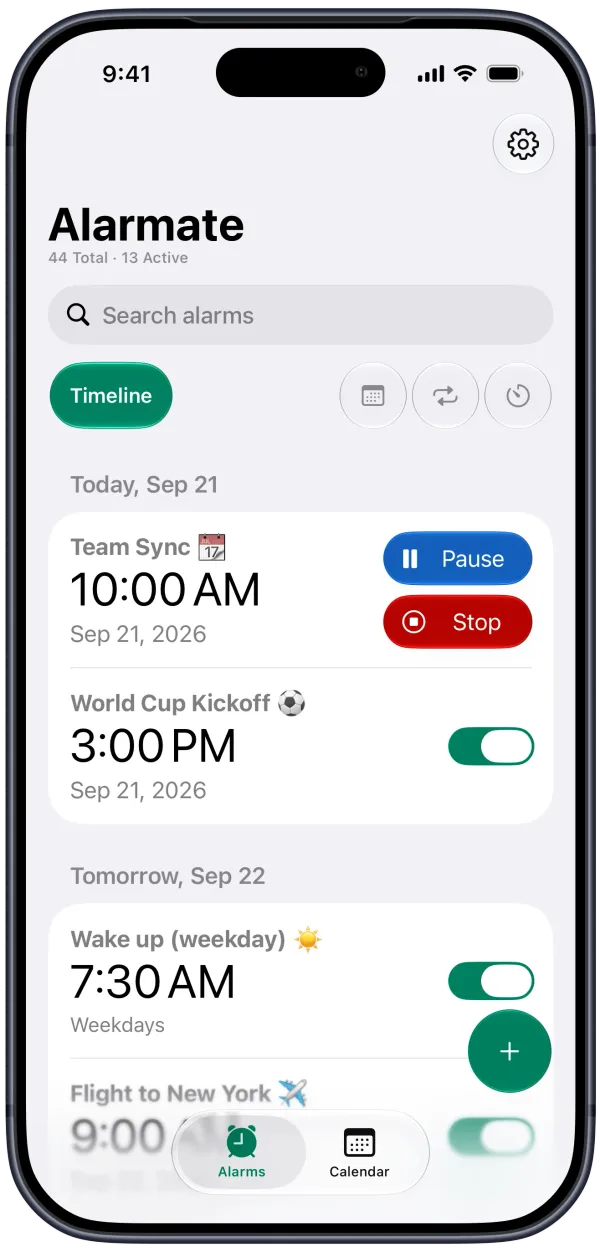
Alarmate is an iPhone alarm clock app that turns meetings, deadlines, and daily moments into real alarms - ones that ring through silent mode and Do Not Disturb until you act on them.
Download App It’s free ➔No ads · No battery drain · Free to start
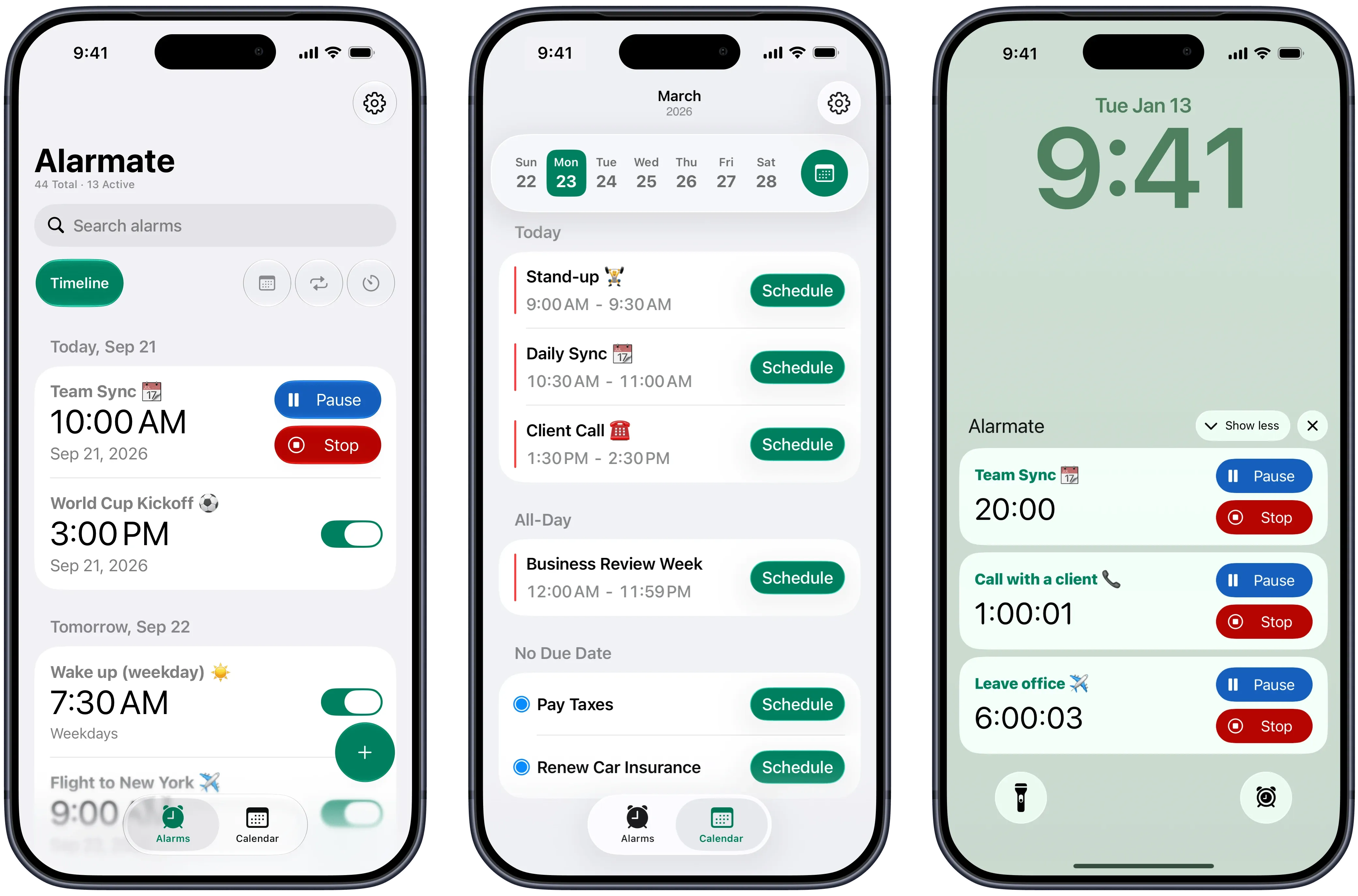
Peace of Mind, Every Day
Most people rely on calendar notifications - a buzz, a banner, a badge. Then they swipe it away and forget. Alarmate works differently. It turns the things that matter into real alarms that won't stop until you acknowledge them. Meetings, flights, deadlines, water breaks, anniversaries - set it once and stop thinking about it. Your attention belongs to your work, not to constantly checking what's next.
I used to be the person who was always late to meetings. Not because I did not know, but because I ignored the notification. Alarmate keeps me on track
Alarmate user
Reliability
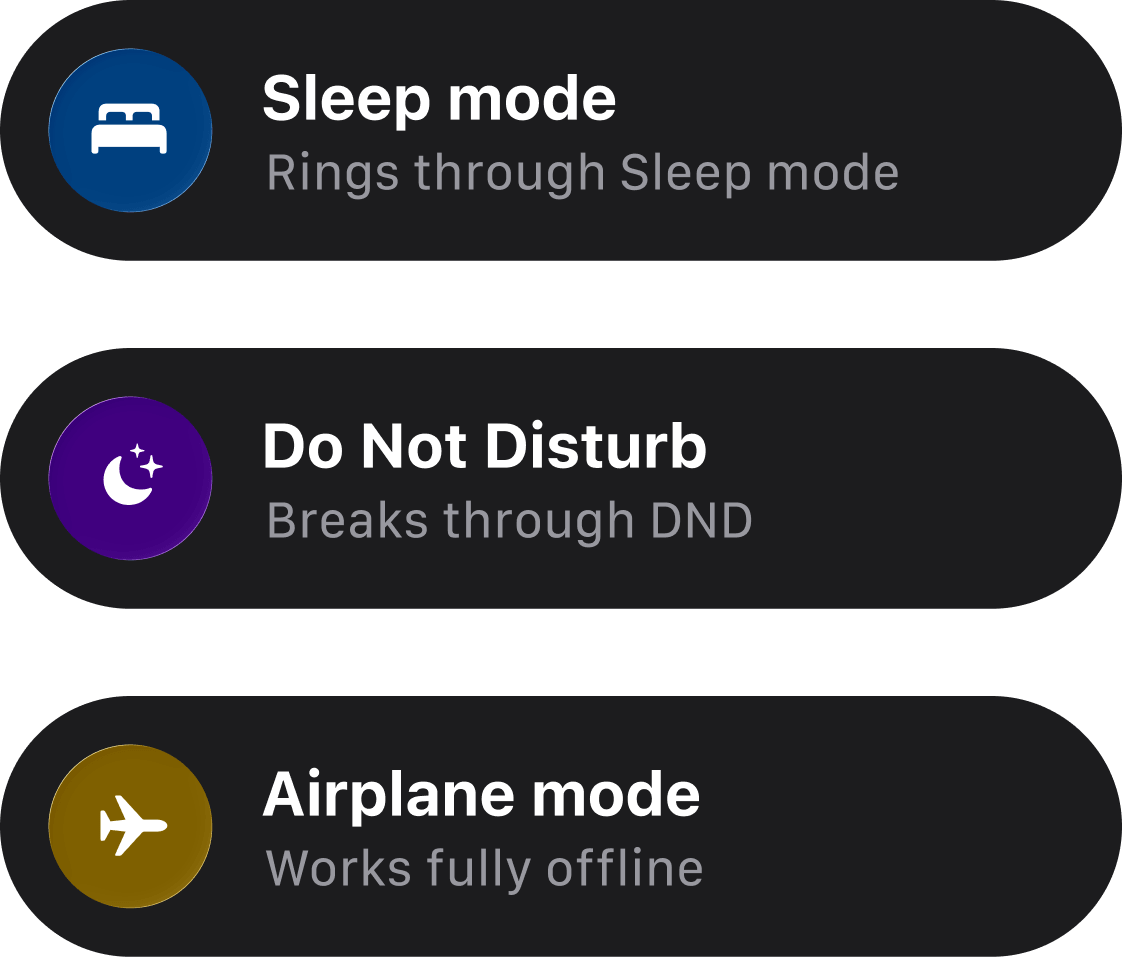
Rings Through Silent Mode and Do Not Disturb
Your alarms work even when your phone is muted, in Focus mode, Do Not Disturb, Sleep, or Airplane mode. Set an alarm and trust that it will go off - no exceptions, no fine print. This is what makes Alarmate different from every reminder app you tried before.
- Sleep mode
- Do Not Disturb
- Airplane mode
Quiet Control
Vibration-only Alarms
Set any alarm to vibrate only, or make it your default. Perfect for meetings, quiet places, or when you do not want to disturb anyone around you. Your alarm still rings until you stop it - just without sound.
- Meetings
- Quiet spaces
- Silent by default
Live Countdown
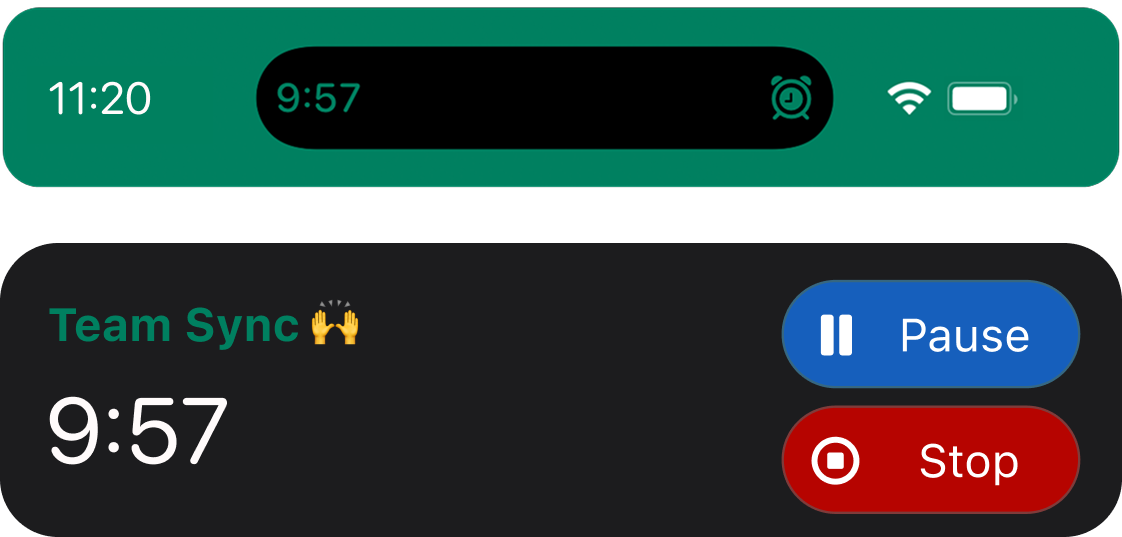
Always Know What is Next
See a live countdown to your next alarm right in the Dynamic Island and Lock Screen - without unlocking your phone. Alarmate runs quietly in the background with no battery drain, powered by the latest iOS technology. Your next alarm is always one glance away.
- Dynamic Island
- Lock Screen
- Battery-friendly
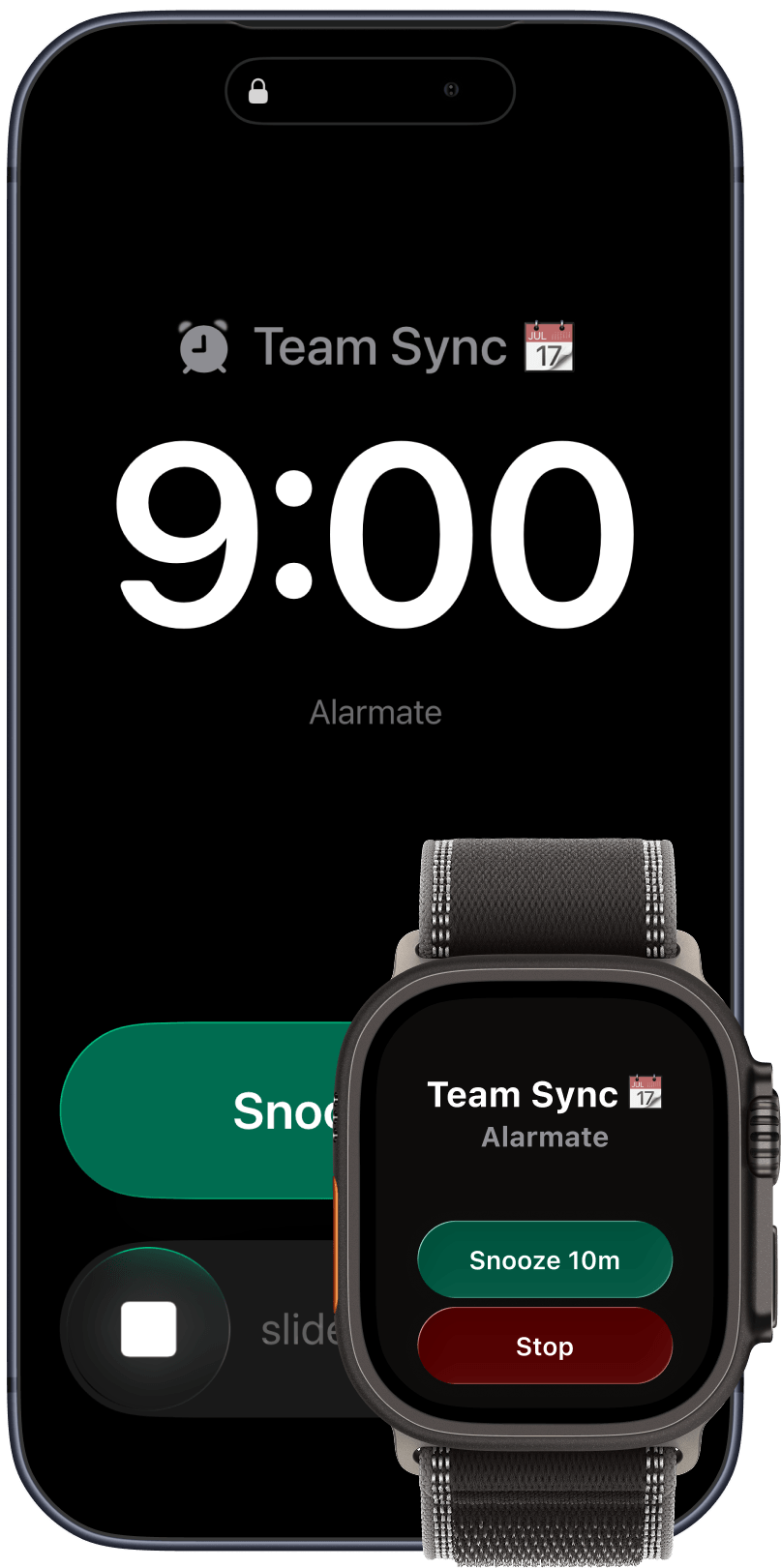
Apple Watch
Apple Watch ready. Just works.
When your alarm rings, stop or snooze it right from your wrist - no need to reach for your phone. No setup needed. Open Alarmate on iPhone and your Apple Watch is ready to go.
- Stop alarms
- Snooze fast
- No setup needed

Widgets
Your Alarms, Always Within Reach
Place Alarmate widgets on your Home Screen, Lock Screen, or Control Center. See your next alarm at a glance - no need to open the app. Quick, always visible, always ready.
- Home Screen
- Lock Screen
- Control Center
9:41
Today
Hey Siri, use Alarmate to set a date alarm
⏰ Alarmate: When should the alarm go off?
In 4 weeks, at 9 AM
Scheduled - in 4 weeks - 9:00 AMAlarmate did the date math. Edit anytime in Alarmate.
Siri, Siri AI & Shortcuts
Set Alarms by Voice or Automation
Create date alarms, recurring alarms, and timers with Siri, Siri AI, or Apple Shortcuts. Say it out loud or trigger it from your own workflow - Alarmate schedules the real alarm.
- Siri AI
- Shortcuts
- Voice Alarms
What our users say
Trusted by people who can't afford to miss a thing
5.0/5 from 6 user reviews
"I was often late to meetings because I ignored notifications. Alarmate keeps me on track, and I'm no longer one who's always late."
"I had notifications for everything and still missed things. Alarmate was the first app that actually made me feel like I was in control."
"I thought I only needed an alarm to wake up. Now I use Alarmate for meetings, deadlines, countdowns - it runs my whole day quietly in the background."
"It's the only app where I set something and actually trust it will go off."
"I use Alarmate during work hours for meetings and follow-ups. It keeps me on schedule without checking my calendar constantly."
Stop Relying on Notifications. Start Using Alarms.
Alarmate is a new, easier way to stay on schedule - not just in the morning, but all day. Set it. Trust it. Stop worrying.
 No Ads. No Battery Drain
 FAQ
Frequently asked questions
Alarmate is built for more than morning wake-ups. These are the questions people usually ask when they want a calmer way to stay on time all day.
I already wake up without an alarm. Why would I use Alarmate?
Alarmate is not just for waking up in the morning. It is for everything else you do not want to miss during the day: meetings, deadlines, flights, reminders, breaks, and other important moments. It helps you stay focused without constantly checking the time or your calendar.
What can Alarmate do that the default iPhone alarm app cannot?
The default iPhone Clock app is mainly built for wake-up alarms and recurring schedules. Alarmate goes further. You can set alarms for calendar events, reminders, and specific future dates, see a live countdown on your Lock Screen and Dynamic Island, view everything in one timeline, and use features like search, filters, and skip once for recurring alarms.
I already use Siri to set alarms. Why would I use Alarmate instead?
You can use both together. Just say "Alarmate" to Siri and you get the same voice convenience, but with the ability to set alarms for any future date, including weeks or months out, like "in 3 weeks" or "in 2 years." The default Clock app Siri normally uses can't set alarms more than 24 hours ahead. Beyond voice, Alarmate also turns calendar events and reminders into real alarms, lets you set one-time alarms for future dates from the app, and shows exactly how much time is left right on your Lock Screen.
How can Alarmate help me stay on time for meetings?
If you have a lot of meetings, Alarmate can act as your transition system. Set an alarm a few minutes before the meeting, use that time to wrap up what you are doing or prepare, and use snooze if you want one final nudge right before it starts. It is a calmer way to stay on time than checking your calendar over and over.
Can Alarmate help with flights, appointments, or other things I need to leave for on time?
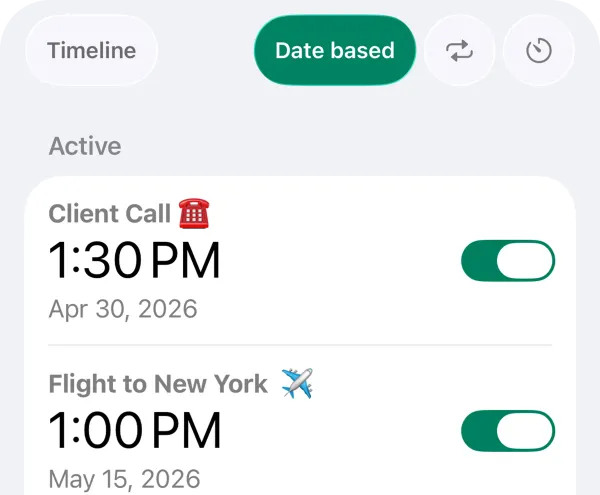
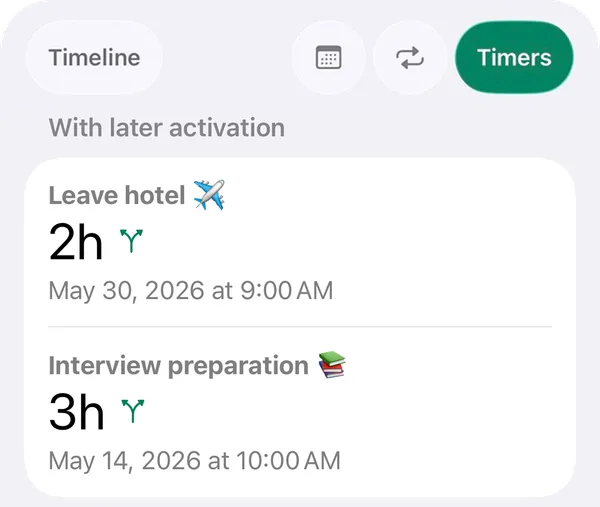
Yes. You can set a date-based alarm for any future event and choose when the Live Activity countdown appears on your Lock Screen. That way, you can start seeing the time left hours in advance and prepare more calmly for a flight, appointment, or anything else that matters.
Can I set an alarm for a calendar event on my iPhone?
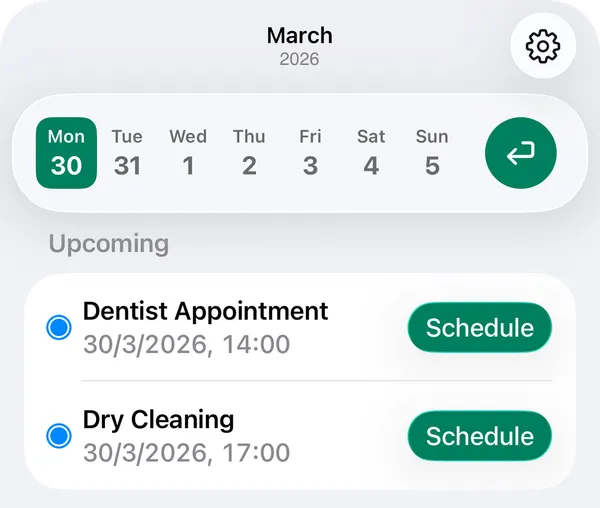
Yes. Alarmate connects with Apple Calendar and lets you turn any event into a real alarm. Choose the event, pick when the alarm should ring, and stay on time without constantly checking your calendar.
Can I set an alarm for a future date on iPhone?
Yes. Alarmate lets you set one-time alarms for specific future dates and times. It is useful for deadlines, appointments, birthdays, travel, and other important one-off events.
What is the difference between Alarmate and normal iPhone calendar alerts?
Standard iPhone calendar alerts are notifications. They are easy to miss, easy to swipe away, and easy to forget. Alarmate turns important events into real alarms that demand your attention when it is time.
Does Alarmate work in Silent mode or Do Not Disturb?
Yes. Alarmate alarms ring even when your iPhone is in Silent mode, Focus mode, Do Not Disturb, Sleep, or Airplane mode, as long as your phone is on.
Does Alarmate work with Apple Reminders?
Yes. Alarmate connects with Apple Reminders so you can turn selected reminders into real alarms. Alarmate can also automatically use the reminder title, which makes setup faster and clearer.
Does Alarmate work with Apple Watch?
Yes. When an alarm goes off, it also appears on your Apple Watch, and you can snooze or stop it from your wrist. If your watch is in Silent Mode, you will feel a vibration instead of sound.
Will Alarmate drain my battery?
Alarmate is built on the latest iOS technology for smooth, battery-efficient performance. It is designed to work quietly in the background, with no ads and no unnecessary battery drain.
Is Alarmate free to start?
Yes. Alarmate is free to start, with no ads. The free plan lets you keep up to 3 active alarms or timers at a time, and you can upgrade later if you need unlimited active alarms.