Set alarms for future dates

The Date Alarm App Your iPhone Has Always Been Missing

Set alarms for any future date and time, then trust them to ring when it matters. Alarmate turns dates that would normally become quiet notifications into real alarms that you can actually rely on.

Get Alarmate Free on the App Store

Free to download ยท No ads ยท Works on iPhone, iPad, and Apple Watch

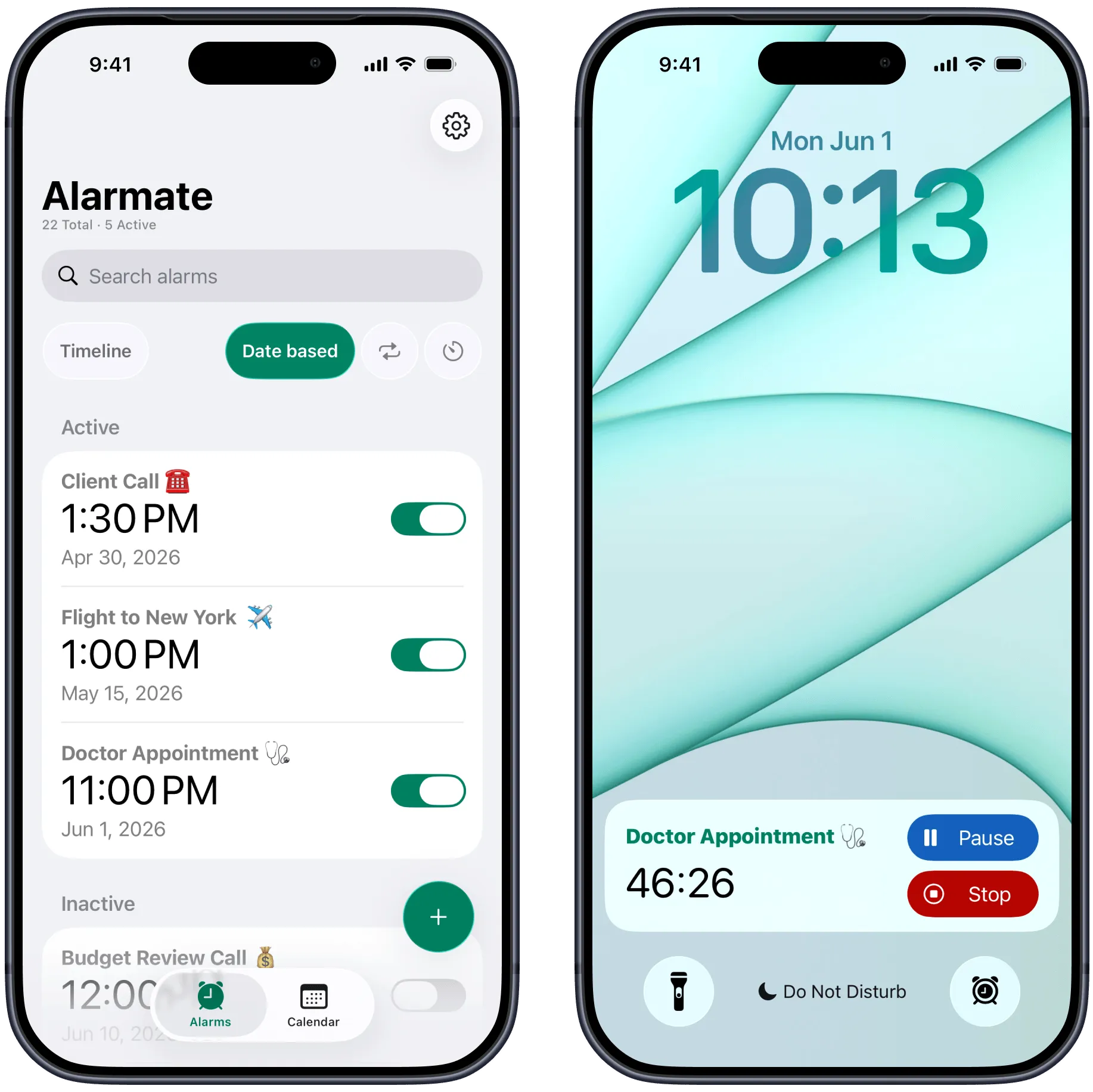
Alarmate date-based alarm screens showing future alarms on iPhone

The problem

Your calendar reminds you. Alarmate makes sure you show up.

There is a reason you still miss things even if you use Calendar and Reminders every day. Those systems are passive by default. A banner appears at the top of your screen, sits there for a few seconds, then disappears while you are in the middle of work.

The default iPhone Clock app does not solve the problem either. One-time alarms stop at 7 days, which makes it useless for anything further out than next week.

The result is that you keep reopening your schedule just to feel safe. You end up babysitting dates that should already be handled by your tools.

It is not a discipline problem. It is a system problem. Alarmate changes the system.

Sound familiar?

  • Booking a flight three weeks out and hoping you remember to check in
  • Setting a reminder that gets swiped away while you are focused
  • Missing a meeting because your phone was on Silent mode
  • Manually checking your calendar every hour just to feel safe
  • Wishing your iPhone could ring like a real alarm for future dates

How to

How to create alarms for a date in the future

With Alarmate, it is easy to create an alarm for any future date.

Choose the day, set the time, and save. Alarmate will make sure it rings when the moment comes, whether it is for a deadline, birthday, appointment, flight, or anything else you do not want to miss.

Unlike a standard reminder, this is a real alarm that demands your attention. It rings until you acknowledge it, even if your iPhone is on Silent mode, in Focus, or in Do Not Disturb.

You can also add a live countdown on your Lock Screen, so you can see exactly how much time is left without reopening apps or checking your schedule all day.

Alarmate future date countdown alarms shown on iPhone

Four ways to set date alarms

Alarmate is not just one kind of date alarm app

The point is not just setting one future alarm. It is having the right alarm workflow for the kind of date you are managing.

๐Ÿ—“๏ธ Future Date Alarm

Set one alarm for any specific date and move on

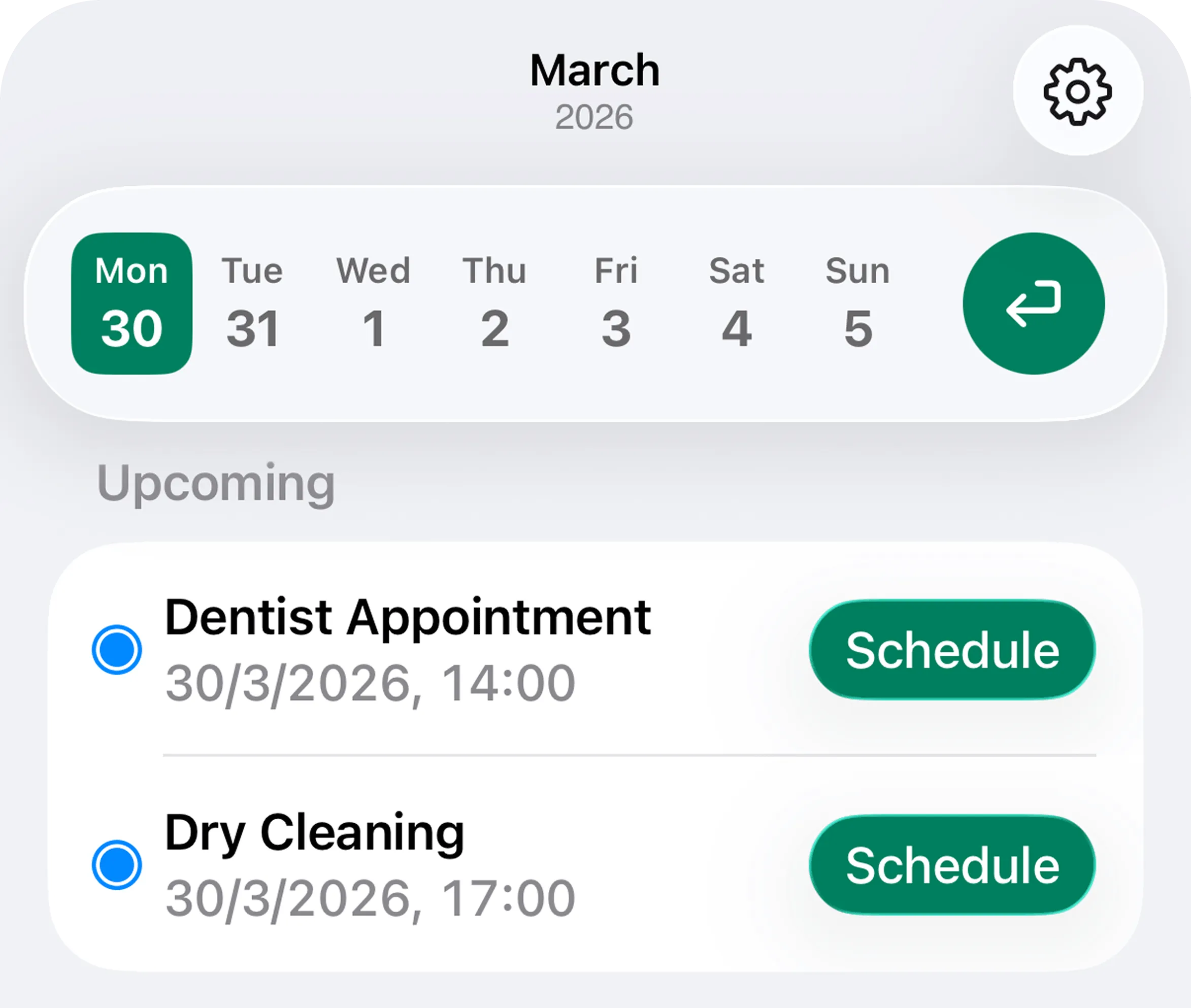
The Clock app stops at one week. Alarmate lets you jump to any future date and set a one-time alarm for a passport renewal, contract deadline, anniversary, or subscription reminder.

  • โœ“ Set alarms weeks, months, or a year ahead
  • โœ“ Ideal for deadlines, renewals, and important one-off dates
  • โœ“ Great when nothing is already living in Calendar or Reminders
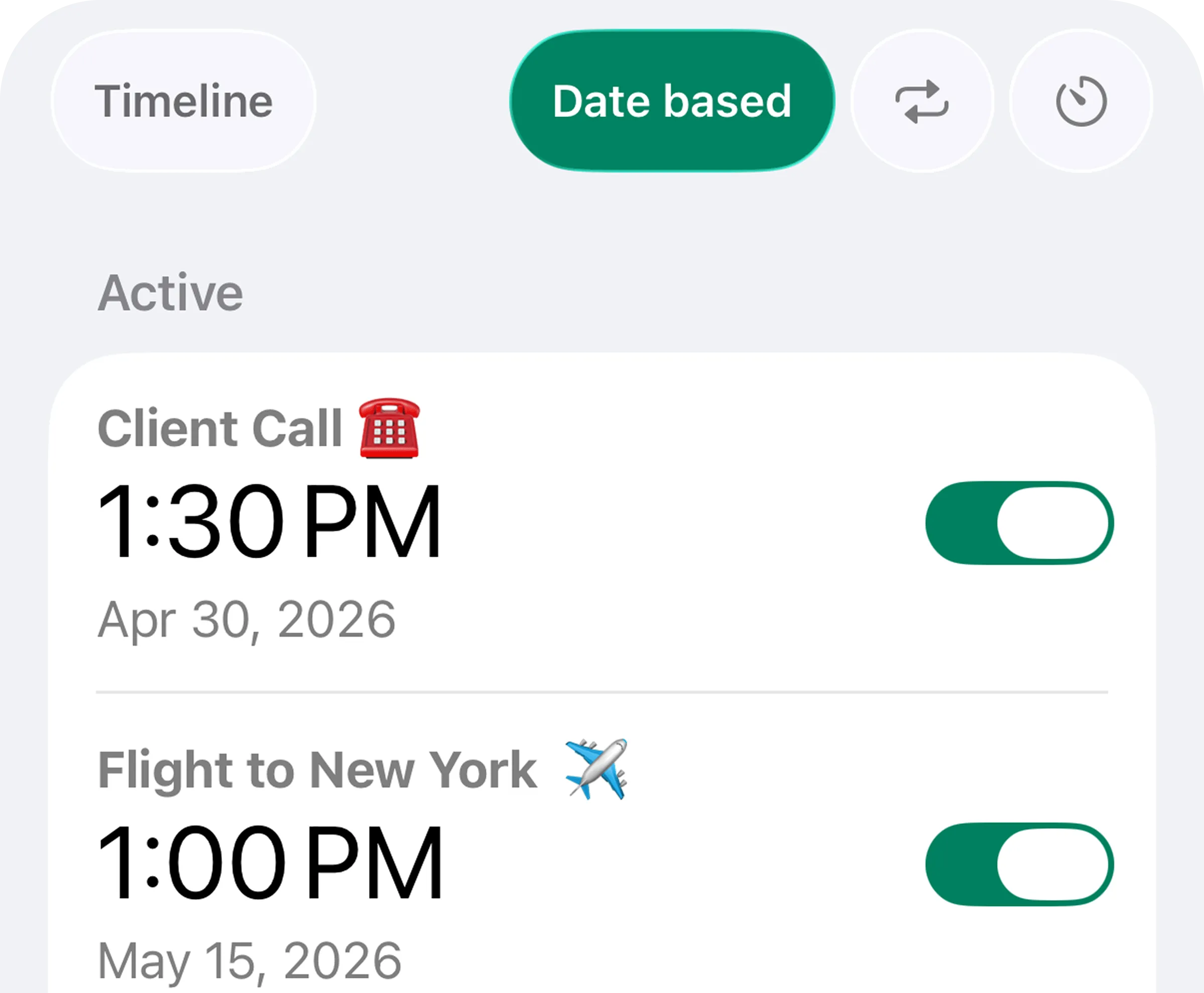
Alarmate date-based alarms shown on iPhone screens

๐Ÿ“… Calendar Alarm

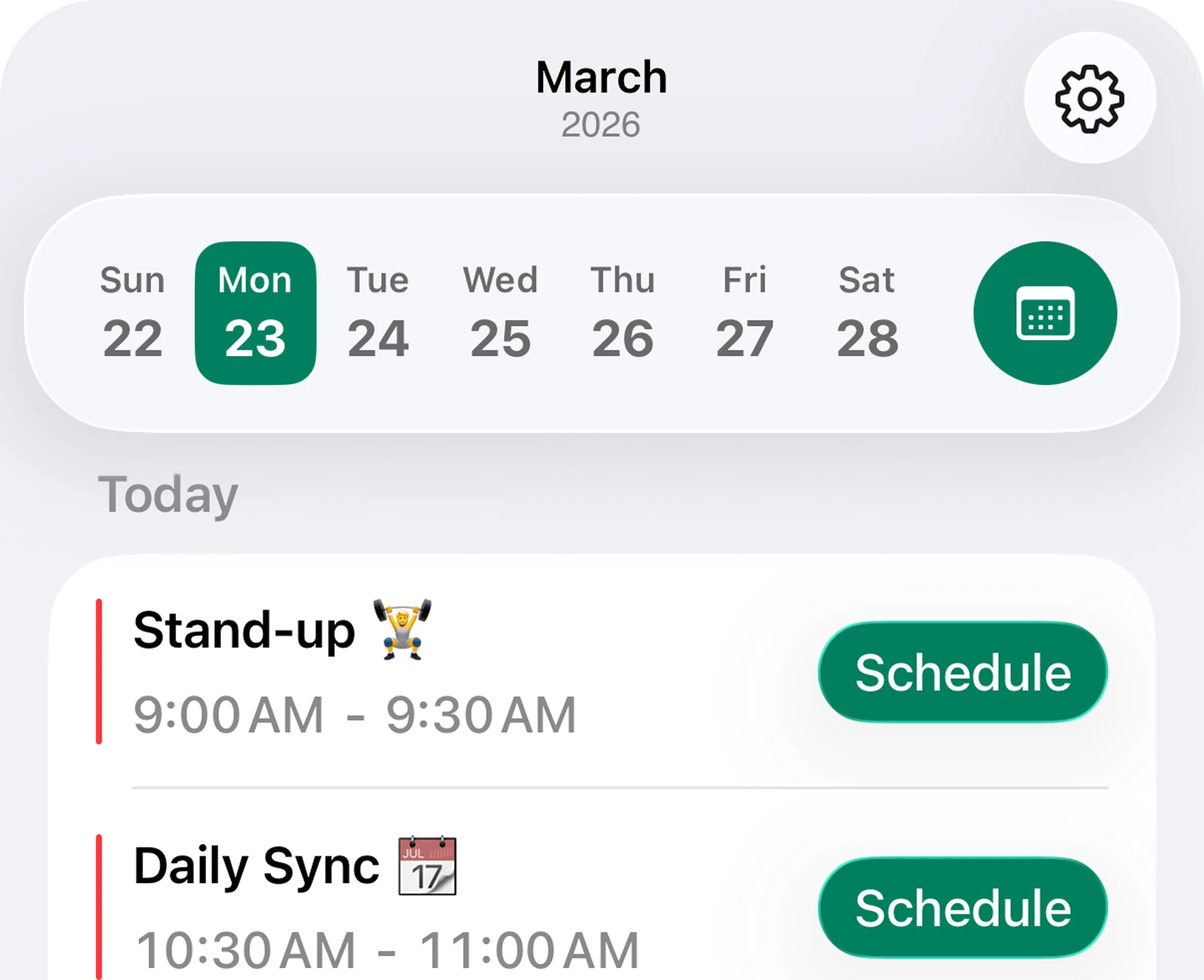
Turn selected calendar events into real alarms

Browse Apple Calendar, choose the event that matters, pick your lead time, and save. Alarmate uses the event name automatically, so meetings and appointments become real alarms instead of passive notifications.

  • โœ“ Create alarms for meetings, appointments, and flight events
  • โœ“ Choose your lead time, like 5 or 15 minutes early
  • โœ“ Keep control by alarming only the events that matter
Alarmate calendar event list used to create alarms

โœ… Reminder Alarm

Make Apple Reminders ring when something matters

If the date already lives in Apple Reminders, Alarmate can turn it into a real alarm too. The reminder title becomes the alarm name automatically, so setup stays quick and clear.

  • โœ“ Works for due dates, overdue reminders, and future reminders
  • โœ“ Useful for refill dates, check-ups, and follow-ups
  • โœ“ Adds a true alarm layer without replacing Reminders
Alarmate reminder alarm screens matching the home page reminders feature card

โฑ๏ธ Delayed-Start Countdown

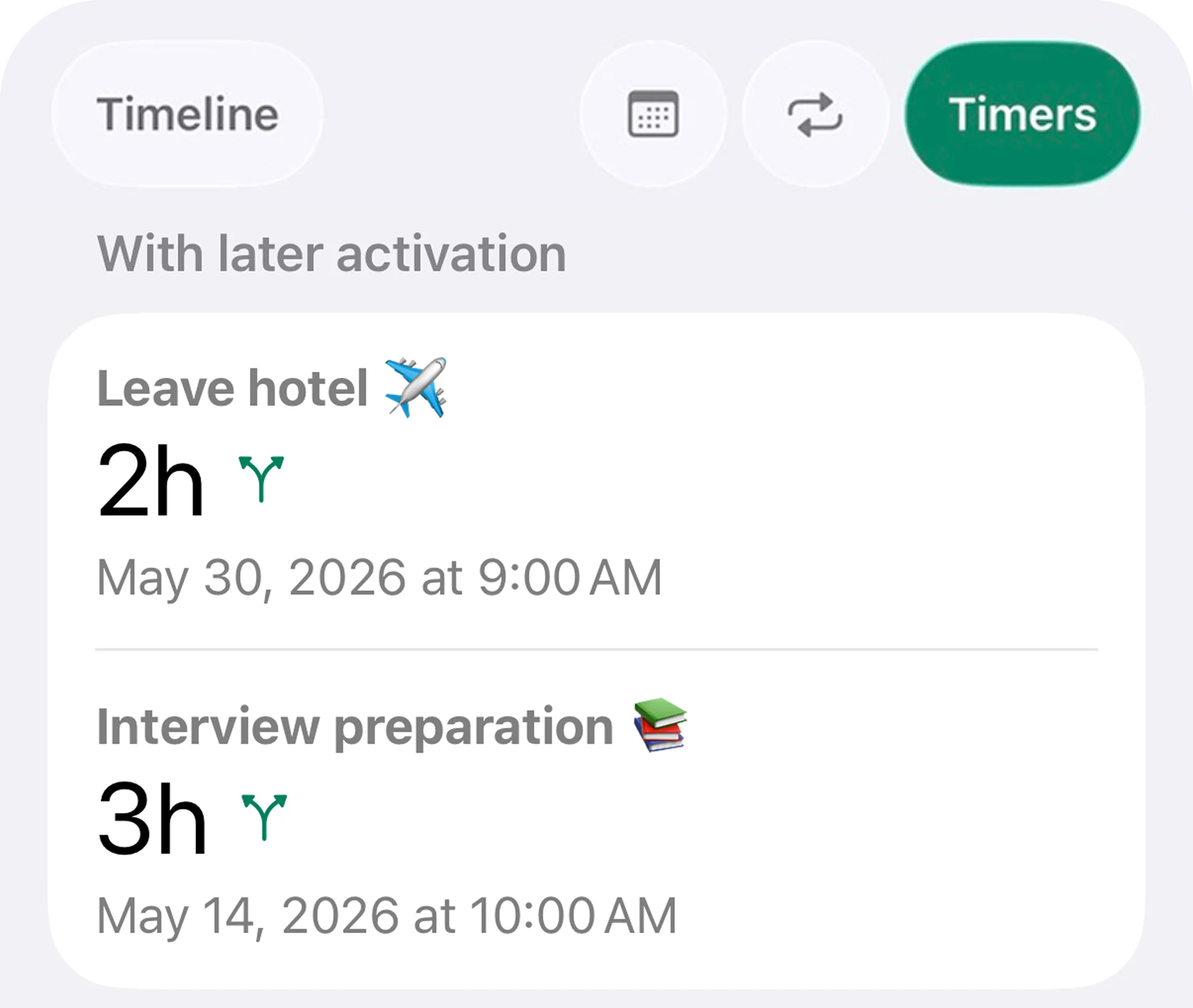
Schedule the countdown now and let it begin later

Set a countdown today that starts automatically at the exact future moment you need it. It is perfect for travel prep, hotel checkout routines, packing windows, or timed work sessions.

  • โœ“ Create a packing countdown that activates on flight morning
  • โœ“ Useful for check-out, car return, and leave-the-house routines
  • โœ“ No need to remember to start the timer on the day
Alarmate countdown alarms displayed on iPhone

Why Alarmate works

Built for the dates that are expensive to miss

Rings through Silent mode and DND

When something really matters, Alarmate is built to break through Silent mode, Focus mode, Do Not Disturb, Sleep mode, and Airplane mode.

No 7-day limit

Set a one-time alarm for next month, next quarter, or next year. Alarmate removes the limit that makes the default Clock app useless for longer-range planning.

Live countdown on the Lock Screen

Before the alarm fires, you can show a real-time countdown on the Lock Screen and Dynamic Island so the next important moment is visible without unlocking your phone.

Apple Watch support

When the alarm goes off, stop or snooze it from your wrist. It is a small detail, but it makes date alarms much more usable during meetings, travel, and routines.

One timeline for everything time-sensitive

Date alarms, calendar alarms, countdowns, and reminder alarms all live in one chronological timeline, so your day feels less fragmented and easier to trust.

Time zone intelligence

Alarmate treats future date alarms thoughtfully when you travel. It notifies you when time zones or DST changes affect your alarms so you can review them before they surprise you.

Real use cases

What people actually use a date alarm app for

Alarmate works best when the date matters enough that you do not want to carry it in your head anymore.

๐Ÿค Work and Meetings

Protect focus without missing the moment you need to surface

  • Turn back-to-back meetings into alarms that ring even when your phone is quiet
  • Set deadline alarms weeks in advance for project and contract milestones
  • Start deep work knowing Alarmate will interrupt you when it is time to switch
  • Use date alarms for standups, reviews, and time-sensitive follow-ups

โœˆ๏ธ Travel

Set the whole travel day up the moment you book

  • Create a flight alarm months in advance as soon as the booking is confirmed
  • Show a Live Activity countdown on the Lock Screen before departure
  • Schedule a leave-the-house countdown to activate automatically later
  • Handle hotel checkout and car return alarms in the same timeline

๐Ÿ’Š Health and Personal

Make important personal dates feel handled instead of mentally sticky

  • Set alarms for doctor, dentist, and specialist appointments well in advance
  • Create refill reminders and medication schedules that actually interrupt you
  • Use repeating countdowns for hydration or short routines during the day
  • Set birthdays and anniversaries a few days early so you have time to prepare

๐Ÿ’ณ Finance and Admin

Catch the dates that are expensive to forget

  • Set alarms before annual renewals and free trial end dates
  • Create passport, ID, tax, insurance, and lease reminders months ahead
  • Use date alarms for performance reviews and recurring planning checkpoints
  • Stop relying on quiet reminders for dates with real consequences

How people use Alarmate

The traveler who stopped carrying his flight in his head

Marcus books flights for work every few weeks. Before Alarmate, travel days started early and stayed noisy in his head. He kept reopening Calendar, second-guessing his leave time, and wondering if he had forgotten one more thing before heading to the airport.

Now he sets two alarms the moment he books: a flight alarm that shows a Lock Screen countdown four hours before departure, and a 90-minute packing countdown that activates automatically 2.5 hours before takeoff.

On the morning of the trip, he glances at his phone, sees the countdown, and just follows the system. No extra calendar checks. No low-level travel anxiety. The timing is already handled.

Traveler quote

"I used to feel nervous before every trip. Now I just set my alarms when I book, and I stop thinking about it."

Marcus

Frequent business traveler

What users say

Trusted by people who need dates to be handled, not remembered

"Finally, an app that lets me set alarms for dates months away. The default clock is useless for anything more than a week out. I set my passport renewal alarm, my subscription cancellation alarms, and my travel alarms all in one place. It works perfectly."

Alex M.

Frequent traveler

"I live by back-to-back meetings. Calendar notifications get buried when I am focused. Alarmate rings through Do Not Disturb and I actually show up on time now. The Live Activity countdown on my lock screen is something I did not know I needed until I tried it."

Sarah L.

Product manager

"The countdown with future activation is genius. I set a two-hour packing countdown to auto-start the morning of my flight. I booked it three weeks ago and forgot about it. On the morning of the trip, it just started. That is exactly how it should work."

David K.

Consultant

Stop trusting notifications

Start using alarms for the dates that actually matter.

Download Alarmate, set alarms for any future date, connect your calendar and reminders, and stop wondering whether a passive notification will be enough.

No ads ยท No battery drain ยท Works in Do Not Disturb

Frequently asked questions

Frequently asked questions

Can I really set an alarm for a date months from now?

Yes. Alarmate has no limit on how far ahead you can set an alarm. Use the date picker to navigate to any future date - a week, a month, or a full year from now. The default iOS Clock app caps one-time alarms at 7 days in the future.

Will the alarm ring if my phone is on Silent mode?

Yes. Alarmate alarms ring through Silent mode, Focus mode, Do Not Disturb, Sleep mode, and Airplane mode. The only exception is if your phone is completely powered off with a black screen.

How does Alarmate handle time zone changes?

Date-based alarms stay anchored to the time zone they were created in, while recurring alarms adjust to the new local time. Countdowns continue normally. When Alarmate detects a time zone or DST change, it notifies you so you can review and update alarms if needed.

What is the difference between Alarmate and calendar notifications?

Calendar notifications are passive banners that can disappear in seconds. Alarmate turns selected events into real alarms that ring until you acknowledge them, and those alarms still work in Silent mode, Focus, and Do Not Disturb.

What is the Live Activity countdown?

Before an alarm fires, Alarmate can show a real-time countdown on your Lock Screen and in the Dynamic Island on supported iPhones. You can choose when it appears - from a few minutes up to 24 hours before the alarm.

Does Alarmate work on Apple Watch?

Yes. When an alarm goes off, it rings on Apple Watch too, and you can stop or snooze it directly from your wrist.

Is Alarmate free?

Yes. The free version lets you keep up to 3 active alarms or countdowns at a time, with no ads. Alarmate Pro removes the 3-alarm limit so you can run unlimited active alarms.

Does Alarmate work without an internet connection?

Yes. Alarmate works fully offline. Your alarms are stored locally on your device and will ring whether or not you have Wi-Fi or mobile data.

What iOS version do I need?

Alarmate requires iOS 26 or later and works on iPhone and iPad, with Apple Watch support when alarms ring.