Notifications get ignored
After the 50th ping today, your brain stops registering them. Calendar alerts are quiet, temporary, and easy to dismiss mid-focus.
ADHD Daily Planner
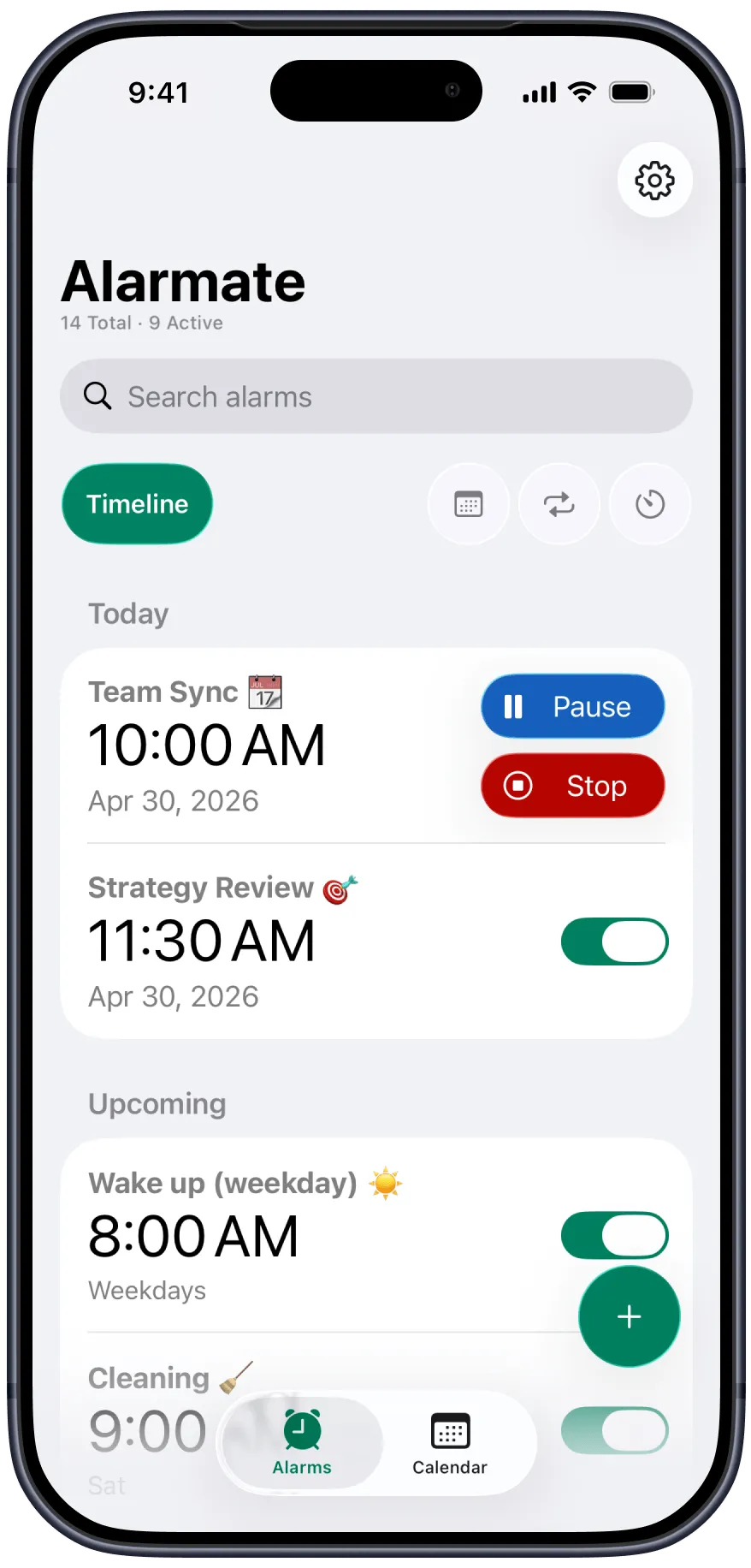
Alarmate turns meetings, reminders, deadlines, and routines into real alarms that actually ring - so you can stop babysitting your calendar and start trusting your day.
The real problem
People with ADHD do not usually miss things because they forgot those things exist. They miss them because the tools they rely on are too easy to ignore.
After the 50th ping today, your brain stops registering them. Calendar alerts are quiet, temporary, and easy to dismiss mid-focus.
Checking your calendar again and again just to feel safe interrupts deep work and keeps a low hum of anxiety running in the background.
Doctor appointments next month, deadlines next week, flight check-in tomorrow - the default iPhone Clock app was not built for that.
Every task you are tracking in your head steals attention from the work you are trying to do right now.
The key difference
This is not a subtle distinction. It changes whether you show up on time or keep wondering if you are about to miss something.
Notifications
Alarmate alarms
How Alarmate helps
Alarmate does not ask you to become better at remembering. It gives you a more reliable way to move through the day.
When you trust an alarm will ring, you stop carrying the schedule in your head and your attention returns to what is in front of you.
Deep focus is easier when you are not watching the clock. Alarmate tells you when it is time to switch.
Once the important moments already have alarms attached, the urge to "just check" starts to disappear.
The live countdown on your Lock Screen and Dynamic Island shows exactly how much time is left until your next interruption.
The thought arrives at the worst moment, mid-task, hands full, halfway out the door. Just say "Alarmate, set an alarm in 3 weeks" and Alarmate captures it before it disappears, so the idea never has to live in your head waiting to be forgotten.
The ADHD reminder app that does it all
Alarmate goes beyond wake-up alarms. It helps you stay on top of the moments that matter throughout the day, with alarm types designed for different kinds of reminders.
Connect Alarmate to Apple Calendar and set alarms before standups, client calls, interviews, or appointments. It rings. You show up.
Set a one-time alarm for a flight next Tuesday, a doctor appointment next month, or a renewal in six months. Alarmate handles the dates the iPhone Clock app cannot.
Turn any Apple Reminder into a real alarm with one tap. Medication, a bill due tomorrow, or a follow-up you cannot afford to miss.
Need an alarm in 20 minutes? Start a timer. Need a timer to activate tomorrow morning? Schedule that too.
Daily medication, weekly planning, Monday standup - set it once, pick the days, and skip just today without breaking the whole schedule.
ADHD-friendly use cases
Every example below maps to a real alarm type in Alarmate. Pick the category that feels closest to your day and explore the moments where a reliable interruption helps.
Set a calendar alarm 10 minutes before standup. It rings even if your phone is on mute and you show up on time.
Calendar alarm
Set a 90-minute timer when you start a focus block. Work without watching the clock.
Timer
Set an alarm for next Tuesday at 2 PM - or two weeks from now. Alarmate handles future dates cleanly.
Future date alarm
Import a weekly call from Calendar and get the same dependable lead-time alarm every single time.
Recurring calendar alarm
Set a daily recurring alarm for medication so it breaks through the modes you already use.
Recurring alarm
Create a future date alarm for your next appointment and stop trying to remember it in the meantime.
Future date alarm
Use a timer for repeatable self-care without having to babysit another app.
Timer
Add a recurring wind-down alarm for the same time every night and let it interrupt you before the night disappears.
Recurring alarm
Set a timer or date alarm for the moment check-in opens so the window does not slip by.
Timer or date alarm
Schedule a timer to begin the morning of your trip so "pack later" does not turn into "panic now".
Scheduled timer
Set a date alarm for checkout morning and get a dependable interruption no matter what mode your phone is in.
Future date alarm
One-time alarms make travel logistics feel concrete instead of floating around your brain all day.
Date alarm
Create a future date alarm well ahead of expiration so you can act before it becomes urgent.
Future date alarm
Set an alarm for the day before the billing switch and stop paying the ADHD tax on forgotten subscriptions.
Future date alarm
Turn the reminders that matter into alarms and keep life admin from quietly piling up.
Reminder alarm
Set a one-time alarm a few days early so important dates arrive with enough time to prepare.
Future date alarm
Alarmate is a new, easier way to stay on schedule - not just in the morning, but all day. Set it. Trust it. Stop worrying.
 No Ads. No Battery Drain
 FAQ
Alarmate is the execution layer for the day you already planned. It connects to your calendar and reminders, then makes sure the moments that matter actually interrupt you. It does not replace your planner - it makes your planner more dependable.
Yes. Alarmate integrates with Apple Calendar and Apple Reminders. You browse your events or reminders and choose which ones become real alarms. It is not automatic - you stay in control of what rings.
Yes, and for a lot of ADHD users this is the part that sticks. When a task pops into your head, you can capture it the second it appears, just say "Alarmate, set a date alarm," and Alarmate handles it without you opening the app or working out the date. Tell it a timeframe like "in 3 weeks" or "2 days before the 14th" and Alarmate works out the exact day, then schedules the alarm. One less thing to hold in your head.
Yes. Alarmate alarms ring through Silent mode, Do Not Disturb, Focus mode, Sleep mode, and Airplane mode. The only exception is if your phone is fully powered off.
No, and that is intentional. Alarmate shows you your upcoming events, then you choose which ones deserve an alarm and how much lead time they need.
Yes. Alarmate reads your calendar data locally on your device so you can browse events and set alarms. Your data does not leave your phone.
The free plan supports up to 3 active alarms or timers at a time with no ads and no time limit. Alarmate Pro removes the 3-alarm limit so you can keep unlimited active alarms running.
Yes. That is one of the biggest gaps Alarmate fills. You can set a one-time alarm for any future date, whether it is next week or six months from now.
Enter your email bellow to get started with Alarmate.