1
Choose the reminder that matters
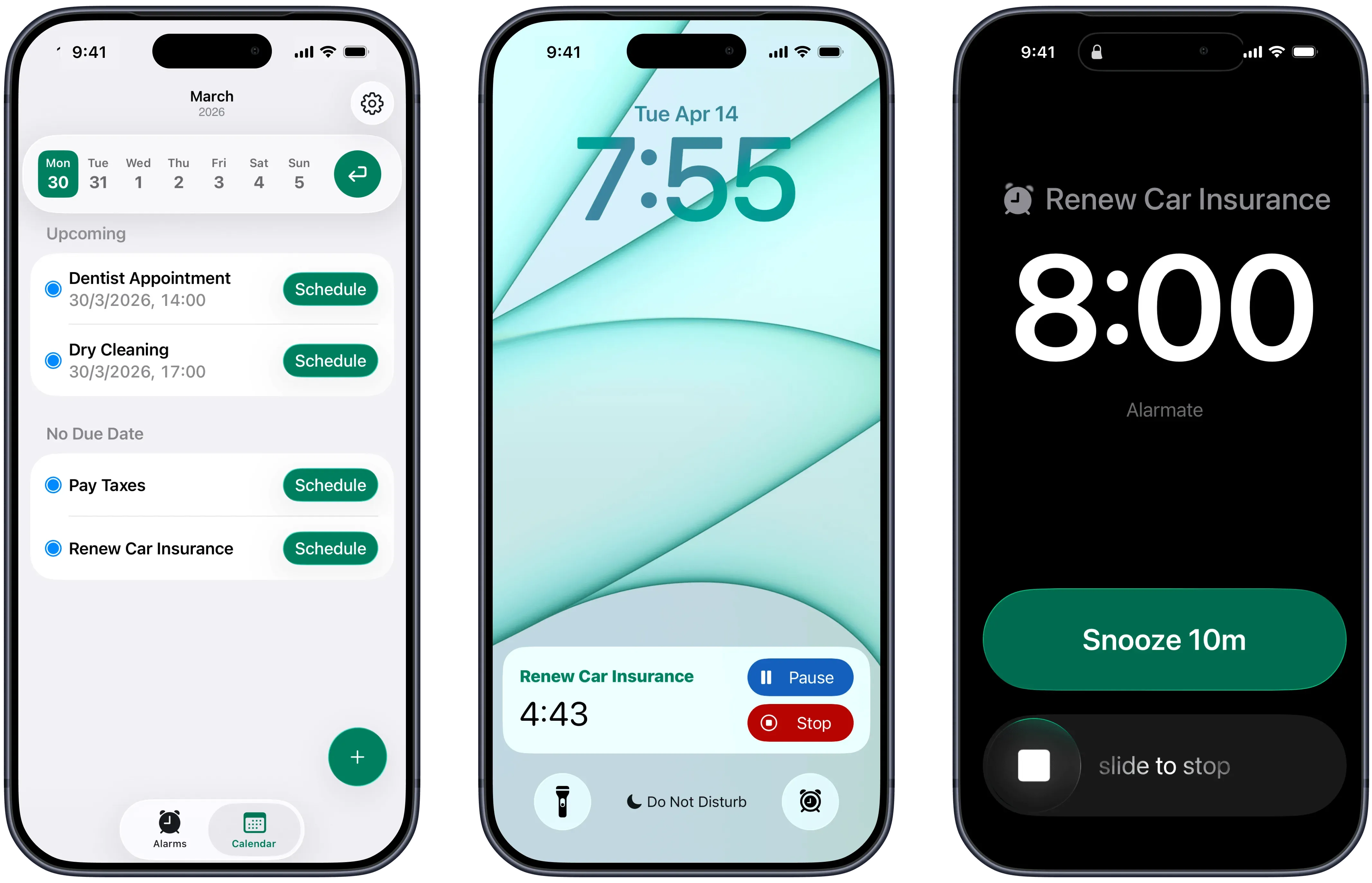
Connect Alarmate with Apple Reminders and select the item you can't afford to miss. A follow-up, a deadline, a medication reminder, or a bill. Any reminder works - with a due date, without one, or even overdue.
Alarm reminder app for iPhone
Alarmate connects with Apple Reminders and lets you choose which items deserve a real alarm. Not a banner. Not a badge. An alarm that rings until you acknowledge it - so you can stay focused and still catch every follow-up, deadline, and task that matters.
The problem
Most missed reminders are not a memory problem. They are a timing problem. Stop relying on notifications. Turn your important iOS reminders into real alarms - the kind that ring through Silent mode, Do Not Disturb, and Focus mode.
Reminders can still land at the worst moment. You are deep in a task, on a call, or moving between apps - and now part of your attention is stuck wondering: did I handle that, am I late, do I need to check again?
Alarmate fills that gap. You keep the reminder system you already use, but the important items get a stronger layer that is built to interrupt you when it matters.
What Alarmate does
Alarmate is a reminder app with alarm functionality built for iPhone. It connects directly to Apple Reminders and lets you turn selected items into real ringing alarms - the kind that cut through whatever mode your phone is in.
You do not replace your reminder list. You choose which reminders deserve something stronger than a notification. Then Alarmate handles the timing. The result: instead of carrying your schedule in your head, you set the alarm once and move on.
How it works
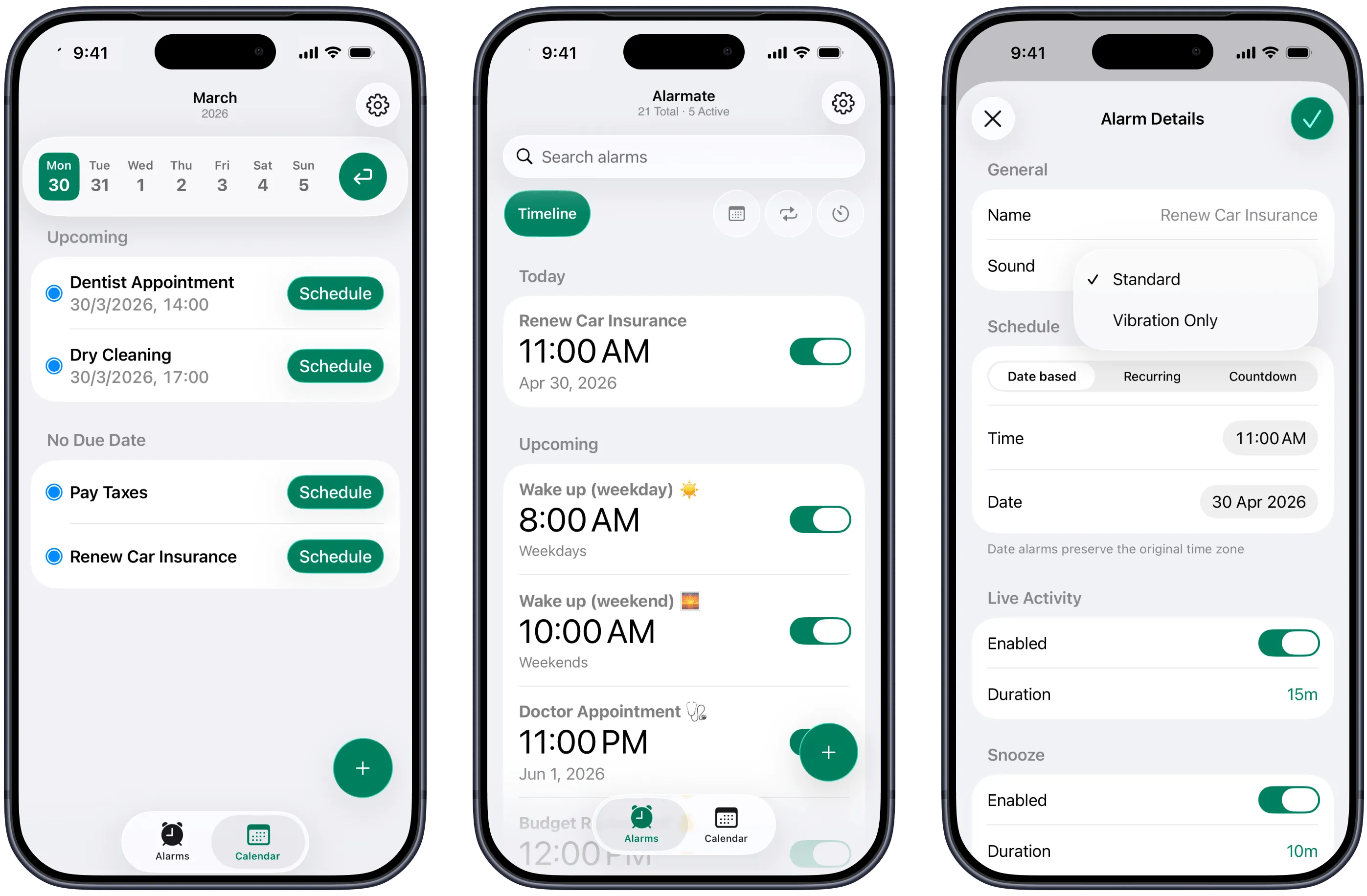
Connect Alarmate with Apple Reminders and select the item you can't afford to miss. A follow-up, a deadline, a medication reminder, or a bill. Any reminder works - with a due date, without one, or even overdue.
Choose the exact time the alarm should fire. You stay in control. Not every reminder needs to ring. The important ones do.
The reminder becomes part of your alarm timeline. A live countdown appears on your Lock Screen. When it rings, stop or snooze it from your iPhone or Apple Watch.
Why Alarmate works better for important reminders
Alarmate connects to Apple Reminders so you can turn selected items into alarms that ring - not banners, not badges.
See today's and upcoming alarms in a single sorted view. Active alarms appear first. Inactive ones stay below as ready-made templates.
Alarmate shows a real-time countdown on your Lock Screen and in the Dynamic Island before an alarm fires.
Silent mode. Focus mode. Do Not Disturb. Sleep mode. Airplane mode. Stay heads-down - the important reminder will still interrupt you.
When an alarm goes off, stop or snooze it from your wrist. Vibration-only alarms are also supported for meetings and shared spaces.
Fired alarms stay available as templates, so regular follow-ups and recurring tasks are faster to set again.
Reliability
Enable Do Not Disturb for deep work, Focus mode to block distractions - Alarmate cuts through all of it. Your reminder alarm rings no matter what mode your iPhone is in.
Turn any iOS reminder into a real ringing alarm
Rings through Silent, DND, Focus, Sleep, and Airplane mode
Live countdown on your Lock Screen before it fires
One timeline - today's alarms first, upcoming next
Inactive alarms become reusable templates
Stop or snooze from your Apple Watch
Alarmate vs. Apple Reminders
In iOS 26, Apple Reminders added the ability to set alarms for urgent reminders - with snooze and Live Activity support. Alarmate is different because it gives you a broader workflow: a dedicated alarm timeline, Lock Screen countdowns before the alarm fires, Apple Watch controls, and the same trusted system for calendar events, future dates, and more.
Apple Reminders
Yes, urgent reminders in iOS 26+
Alarmate
Yes, any reminder you choose
Apple Reminders
Yes
Alarmate
Yes
Apple Reminders
Yes
Alarmate
Yes
Apple Reminders
No
Alarmate
Yes
Apple Reminders
No
Alarmate
Yes
Apple Reminders
Limited
Alarmate
Yes
Apple Reminders
Yes (urgent only)
Alarmate
Yes
Apple Reminders
No
Alarmate
Yes
| Feature | Apple Reminders | Alarmate |
|---|---|---|
| Turn reminders into real alarms | Yes, urgent reminders in iOS 26+ | Yes, any reminder you choose |
| Snooze support | Yes | Yes |
| Live Activity countdown | Yes | Yes |
| Dedicated alarm timeline | No | Yes |
| Search and filter alarms | No | Yes |
| Apple Watch stop / snooze | Limited | Yes |
| Works through DND & Focus mode | Yes (urgent only) | Yes |
| Extend to calendar & date alarms | No | Yes |
Apple Reminders is great for tracking tasks. Alarmate is built for making the important ones impossible to ignore - and seeing everything in one place.
What users say
"I kept checking my calendar all the time so I wouldn't miss any meetings. It was stressful and made it hard to focus. I never imagined that using alarms could actually help me be more productive. Alarmate makes it so much easier."
- App Store review
"I used to ignore notifications and missed meetings a few times, which stressed me out. Since I started using Alarmate, I never miss an important event, and I can work without constantly checking my calendar."
- App Store review
Get started
Your brain is for thinking, not for tracking every follow-up and deadline. Turn the reminders that matter into real alarms, see what's next in one clear timeline, and let Alarmate handle the timing.
No ads · No battery drain · Free to start
FAQ
Yes. Alarmate connects with Apple Reminders and lets you turn any selected reminder into a real ringing alarm - with a due date, without one, or even if it is overdue. The alarm title is filled in automatically from the reminder name.
In iOS 26, Apple added the ability to mark a reminder as urgent to create an alarm when it is due, with snooze and Live Activity support. Alarmate is useful when you want more control: choose any reminder, not just urgent ones, see all your alarms in a dedicated timeline with search and filters, get a Live Activity countdown before the alarm fires, and extend the same system to calendar events and future dates.
No. Alarmate works with Apple Reminders, not instead of it. You keep your existing reminder system - Alarmate adds the alarm layer on top.
Yes. Alarmate alarms ring through Silent mode, Do Not Disturb, Focus mode, Sleep mode, and Airplane mode. The only thing that stops an alarm from firing is your phone being completely powered off - or you stopping it yourself.
Yes. When an alarm goes off, it rings on your Apple Watch too. You can stop or snooze it directly from your wrist. Vibration-only alarms are also supported.
A notification appears, competes with everything else on your screen, and can be swiped away in a second. An alarm rings and keeps ringing until you acknowledge it.
Yes. Alarmate is free to start. The free plan supports up to 3 active alarms at a time with no time limit and no ads. Alarmate Pro removes the 3-alarm limit so you can have unlimited active alarms running simultaneously.
Alarmate works on iPhone, iPad, and Apple Watch, and requires iOS 26 or later. Keep your device updated to get the best performance and latest features.
Enter your email bellow to get started with Alarmate.