Every year after WWDC, millions of iPhone users ask the same question:
Did Apple finally make alarms smarter?
With iOS 27, the answer is yes, though maybe not in the way most people expected.
The headlines went to Siri AI and Apple Intelligence, but a few quieter changes may matter more in everyday life. Apple finally separated alarm volume from ringtone volume, Siri understands natural language far better than before, and creating actions with Siri and Shortcuts feels more conversational than ever.
If you have ever missed a meeting because a calendar banner disappeared, forgotten an important date, or wished Siri could simply handle your schedule, iOS 27 is the biggest step Apple has taken in years.
There are still a few real limitations, though.
In this article we will look at what actually changed, how Siri AI works with alarms, what the default Clock app still cannot do, and how Alarmate extends Siri with date alarms, recurring alarms, timers, calendar alarms, and reminder alarms.
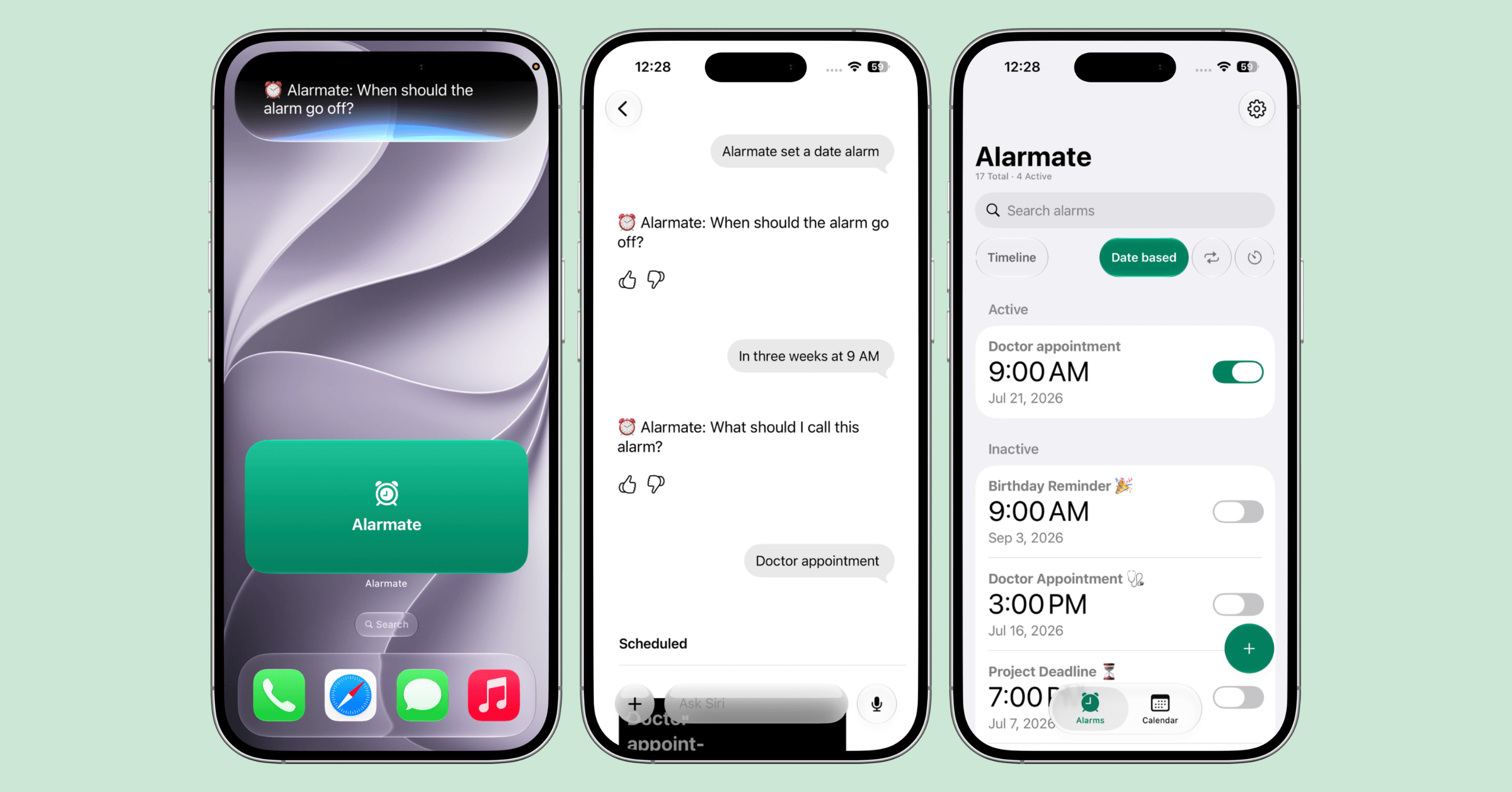
Siri asks for the date and title, then Alarmate saves the doctor’s appointment as a scheduled date alarm.
What’s in This Guide
- Siri AI is the biggest productivity upgrade in iOS 27
- Apple quietly fixed one of the biggest alarm frustrations
- Siri and App Shortcuts make creating alarms much faster
- Using Siri to create date alarms, recurring alarms, and timers
- What the default Clock app still cannot do
- Siri + Clock vs Siri + Alarmate
- Calendar notifications are still notifications
- Final thoughts
Siri AI is the biggest productivity upgrade in iOS 27
The biggest announcement at WWDC 2026 was not the Clock app.
It was Siri AI.
Apple rebuilt Siri around Apple Intelligence, giving it a more conversational feel, better contextual understanding, awareness of what is on your screen, and the ability to carry out more sophisticated actions across apps. Apple describes the new Siri as more personal, more capable, and more context-aware than any version before it.
Instead of memorizing rigid voice commands, you can now talk naturally. Siri follows up. It holds context. It can search across your personal information and take more actions inside apps.
For productivity, that is a much bigger improvement than it first sounds.
Apple quietly fixed one of the biggest alarm frustrations
While Siri AI took the spotlight, a smaller change may end up touching more people every single day.
For years, alarms, timers, notifications, and ringtones all shared essentially the same volume. Plenty of people turned their ringtone down during the day, only to find out later that their morning alarm had gone quiet too.
With iOS 27, Apple finally added independent volume for alarms and timers. In Settings under Sounds and Haptics, a new “Match Ringtone Volume” toggle lets you keep alarms and timers loud while turning ringtone or alert sounds down, or the other way around.
It sounds like a small thing. In practice, it is one of the most useful quality-of-life fixes Apple has shipped in years.
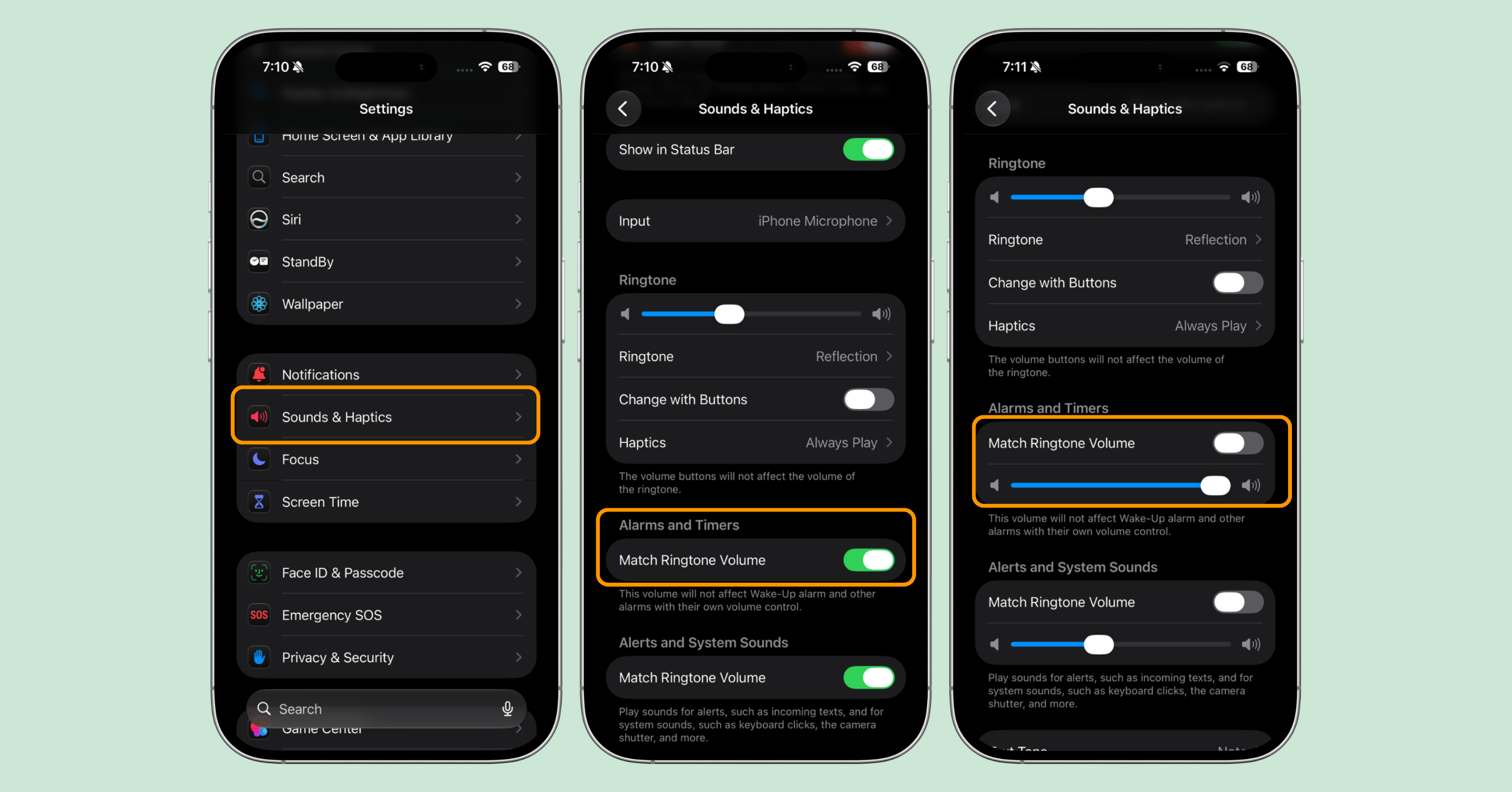
In iOS 27, alarms and timers finally get their own volume, separate from your ringtone.
Siri and App Shortcuts make creating alarms much faster
Another meaningful upgrade is how Siri now works with App Shortcuts.
For years the Shortcuts app has been powerful but hard for many people to approach. Apple is changing that. In iOS 27, Siri understands App Shortcuts far more naturally, so you can trigger actions inside apps by voice instead of tapping through screens.
That opens the door for productivity apps like Alarmate to fit naturally into everyday workflows.
Using Siri to create date alarms, recurring alarms, and timers
Shortly after WWDC 2026, Alarmate shipped native Siri and App Shortcuts support, so you can create alarms by voice.
You can simply say:
Alarmate, create a date alarm.
Alarmate, create a recurring alarm.
Alarmate, set a timer.
Siri hands the request to Alarmate and walks you through it, so you can create the alarm without opening the app.
Tip: you can also say “Create a date alarm in Alarmate,” but starting the phrase with “Alarmate” helps Siri pick the right app reliably, especially for alarms and timers the built-in Clock app might otherwise grab.
Here is the part most people miss. You do not have to know the exact date, and you do not have to do any math. Speak the plan the way you actually think about it, and Alarmate works out the moment for you. Say “in 4 weeks at 9 AM” or “2 hours before my 4:30 flight,” and Alarmate does the date math, then schedules a real, ringing alarm.
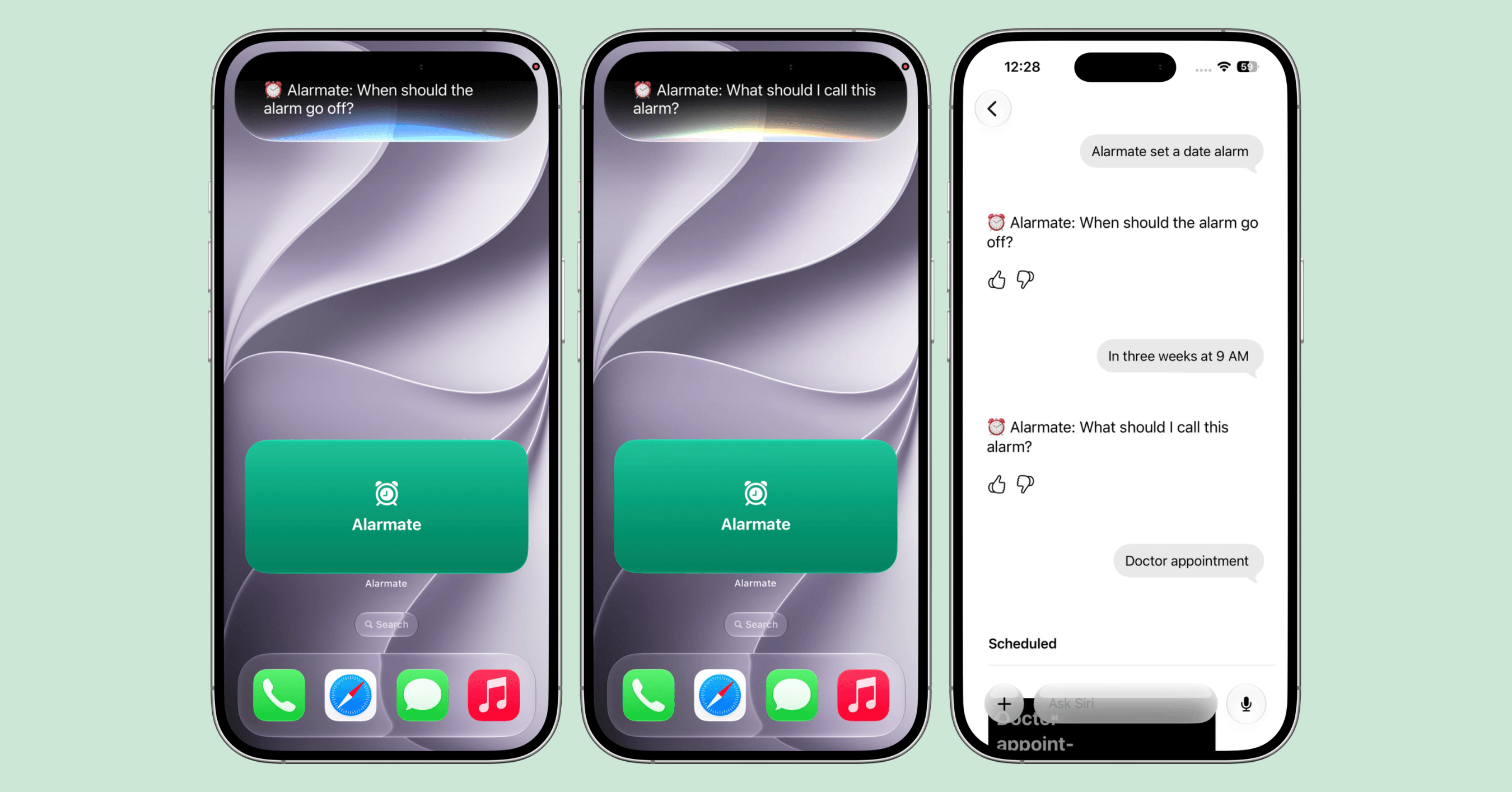
A natural phrase like “in three weeks at 9 AM” becomes a scheduled date alarm in Alarmate.
Unlike the default Clock app, Alarmate lets you create by voice:
- Date alarms for any future date, days, weeks, months, or even years out
- Recurring alarms for the days you choose
- Timers for focus blocks, cooking, naps, and quick routines
Because Alarmate connects with Apple Calendar and Apple Reminders, you can turn the events and reminders you select into real alarms instead of relying on notifications.
Want the full walkthrough? Read our guides on the Siri alarm clock for iPhone, how to set alarms by voice with Siri and Alarmate, and how to create reminders with Siri in iOS 27.
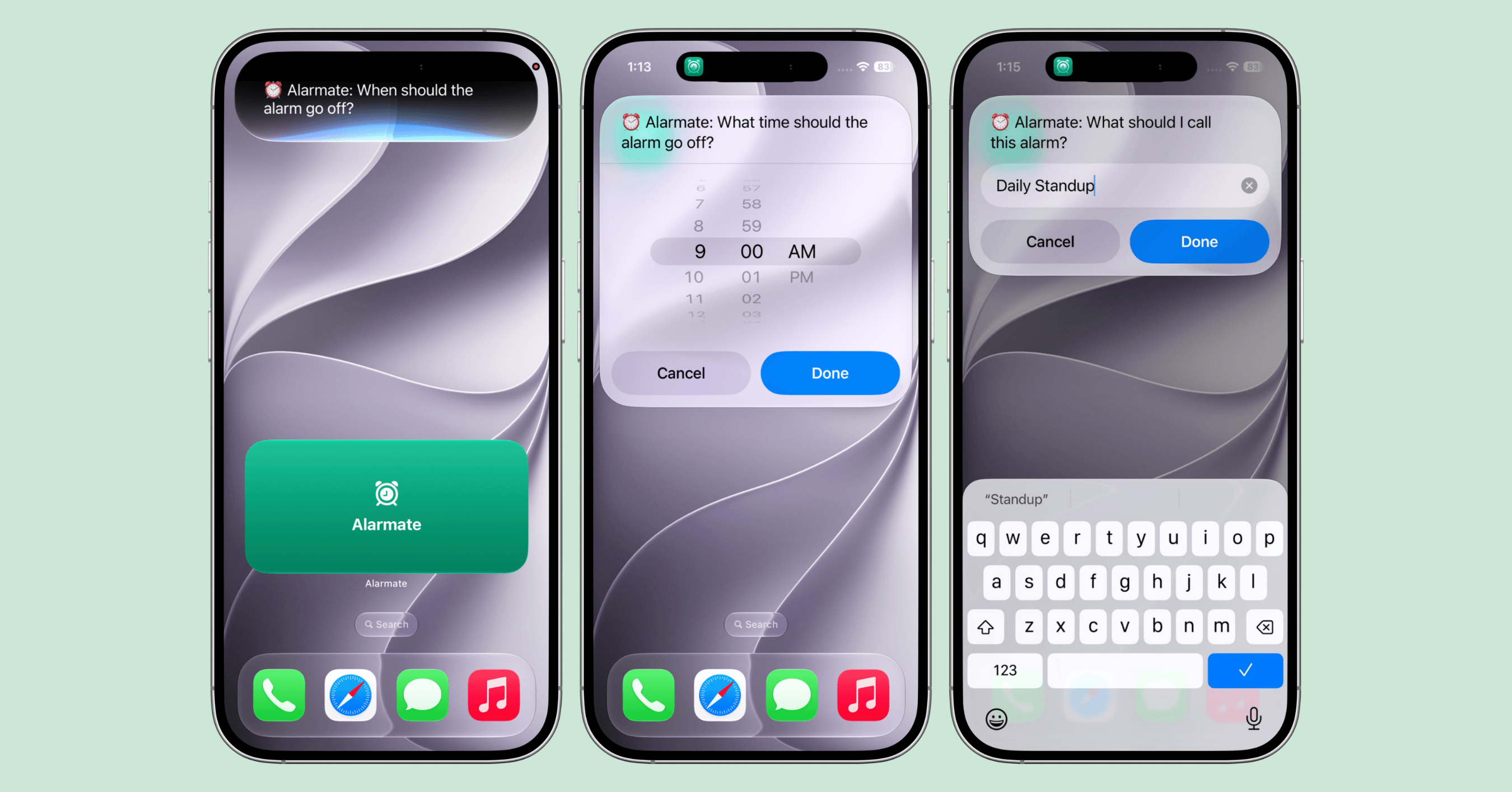
For recurring alarms, Siri guides you through the time and the days, then names the alarm.
Our vision: alarms should be as easy to create as reminders
For us, Siri support is not just another feature. It is part of a bigger idea.
Our goal has always been to make alarms so easy to create that people naturally use them as a productivity tool, not just for waking up. We are excited about the direction Apple is taking with Siri AI and Apple Intelligence. We want Alarmate to work naturally with Siri, Shortcuts, and over time with the tools people already use to organize their work and personal lives. Siri and App Shortcuts support are our first step toward that.
Maksym, Co-founder of Alarmate
We do not think people need another productivity app. We think the tools they already use should work better together. Today that means Apple Calendar, Apple Reminders, Siri, and App Shortcuts. As Apple’s ecosystem keeps evolving, we will keep making alarms easier to create wherever people plan their lives.
What the default Clock app still cannot do
Here is the key thing to understand about Siri.
When you ask a generic “set an alarm,” Siri usually reaches for Apple’s default Clock app. That is great for “wake me at 7.” It hits a wall the moment you need a specific future date, because the Clock app itself was never built around true date-based alarms.
So on its own, Siri plus the Clock app still cannot handle requests like:
- “Set an alarm for my flight on August 14.”
- “Create an alarm for my dentist appointment next month.”
- “Wake me on Christmas Eve.”
Siri can make timers and recurring alarms through the Clock app, but not a real one-time alarm tied to a specific future date. That is one of the main reasons date alarm apps exist.
This is exactly where Alarmate changes the outcome. Because Alarmate gives Siri access to its own alarm creation flow, the same kind of request works. Say “Alarmate, create a date alarm,” then give the date or the timeframe, and Alarmate schedules it as a real alarm for tomorrow, next month, or even next year. No calendar counting, no mental math.
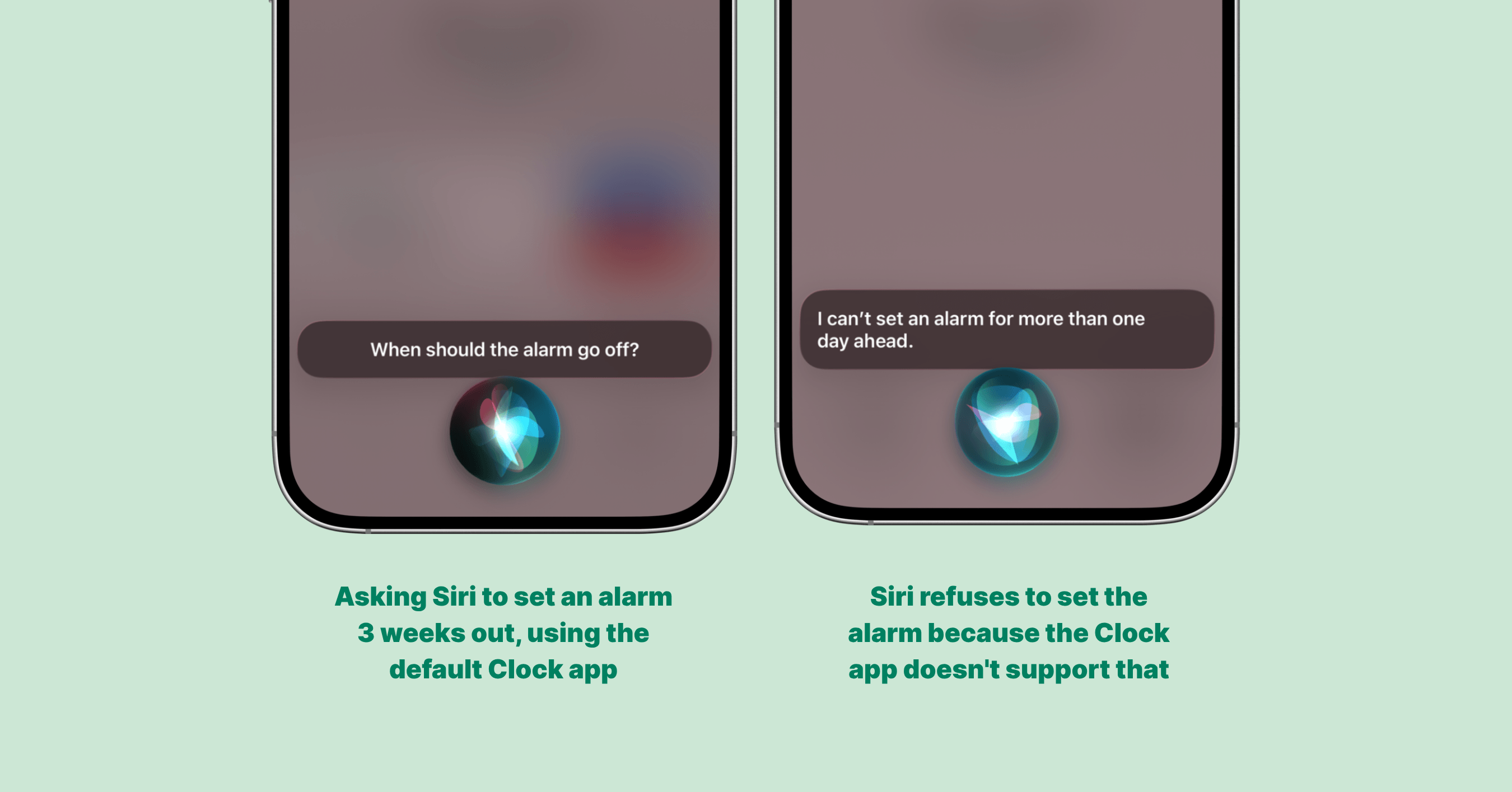
On its own, the Clock app cannot turn a request like “set an alarm in 3 weeks” into a future date alarm. Alarmate can.
For flights, birthdays, annual renewals, appointments, subscription end dates, and important deadlines, this is often exactly the functionality people assumed Siri already had.
Siri + Clock vs Siri + Alarmate
| Task | Siri + Clock | Siri + Alarmate |
|---|---|---|
| Wake-up alarm | Yes | Yes |
| Timer | Yes | Yes |
| Recurring alarm | Yes | Yes |
| One-time alarm for a specific future date | No | Yes |
| Date math, like "in 4 weeks" or "2 hours before 4:30 PM" | Yes, but only within 24 hours | Yes |
| Calendar event alarms | No | Yes |
| Reminder alarms | No | Yes |
| Live countdown on the Lock Screen | No | Yes |
| Rings through Silent, Focus, DND, and Airplane mode | Yes | Yes |
The difference is not Siri itself. It is what Siri is able to control.
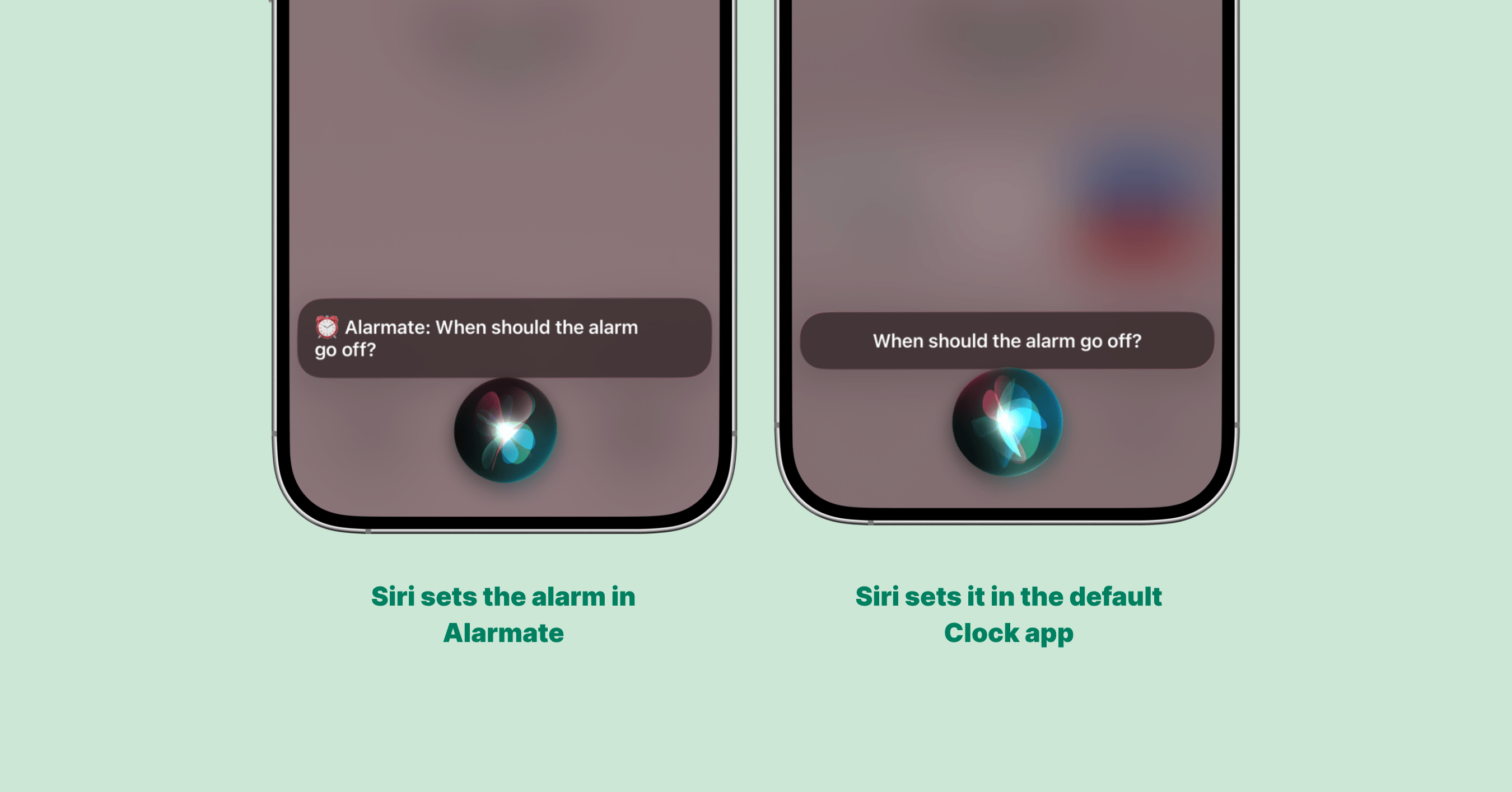
When the request is routed to Alarmate, Siri can schedule a true date alarm instead of falling back to the Clock app.
Calendar notifications are still notifications
One thing did not fundamentally change in iOS 27.
Calendar events still arrive as notifications. Notifications are useful, but they are temporary and easy to swipe away. When you are deep in focus, walking between meetings, or buried under dozens of alerts a day, an important one slips by more often than we admit.
That is exactly why Alarmate exists. Instead of a banner you might miss, Alarmate lets you turn the meetings you choose into real alarms. If something matters enough that you truly cannot miss it, it probably deserves an alarm, not just another notification. You can even turn Apple Calendar events into real alarms in a couple of taps. The same idea applies to tasks too: here is how Siri reminders in iOS 27 work, where Urgent Reminders help, and where they still fall short.
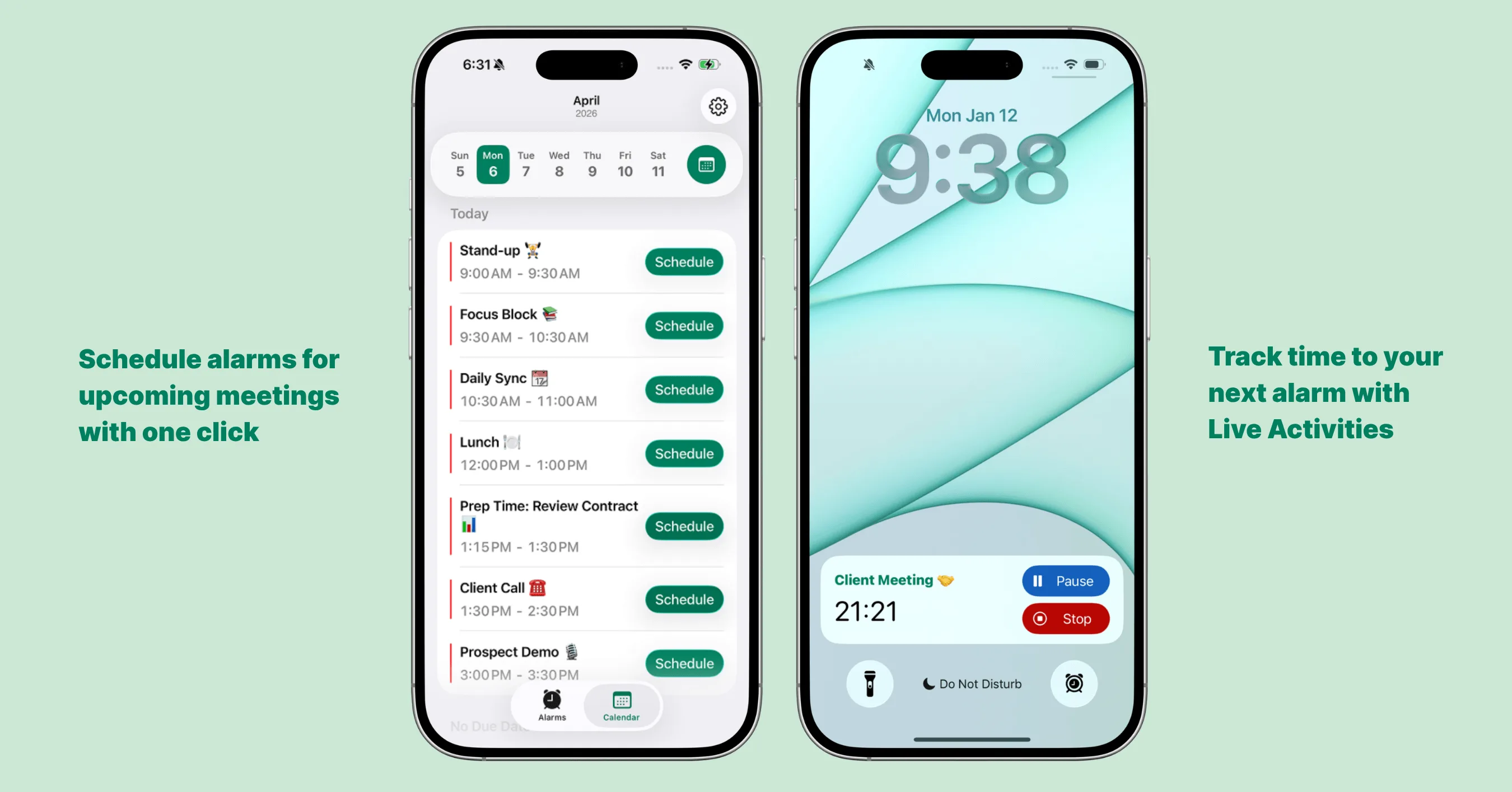
Calendar notifications are easy to miss. Alarmate lets you turn the important ones into real alarms.
Siri and Alarmate complement each other
Apple’s work makes Siri smarter. Alarmate turns that into something more practical for a busy schedule.
Reach for Siri when you want the fastest possible way to create an alarm. Reach for Alarmate when that alarm is tied to a future date, a calendar event, a reminder, or anything you simply cannot afford to miss.
Together they feel a lot closer to what people have wanted for years.
Final thoughts
iOS 27 is the biggest update to Siri in years. Natural conversations feel dramatically better, App Shortcuts are easier to reach, and independent alarm volume fixes one of the longest-standing frustrations on iPhone. Apple deserves real credit for these improvements.
At the same time, the default Clock app still is not designed around meetings, deadlines, future dates, or productivity. That is where Alarmate fits. By combining Siri, App Shortcuts, Apple Calendar, Apple Reminders, and real alarms, Alarmate helps turn Siri from a voice assistant into a practical planning tool.
Our goal is not to replace Siri. It is to make Siri even more useful.
If you are on iOS 27, try creating your next alarm with Siri. And if that alarm is tied to a meeting, a flight, a deadline, or any future date you cannot afford to miss, say:
Hey Siri, Alarmate, create a date alarm.
You might find yourself using alarms for a lot more than waking up.